
nRF Logger
1.9.1 by Nordic Semiconductor ASA (0 Reviews) July 28, 2024
Latest Version
1.9.1
July 28, 2024
Nordic Semiconductor ASA
Tools
Android
0
Free
no.nordicsemi.android.log
Report a Problem
More About nRF Logger
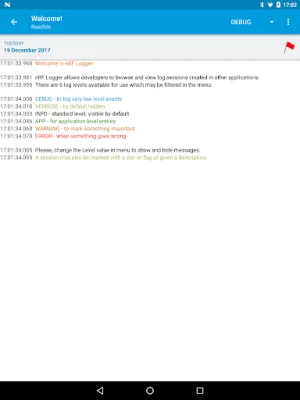
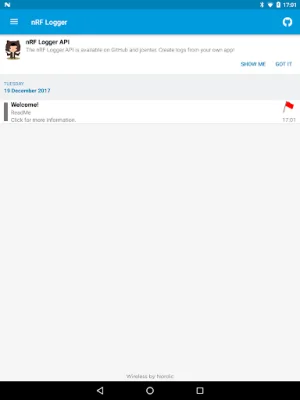
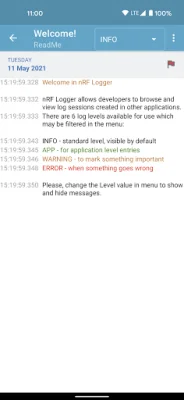
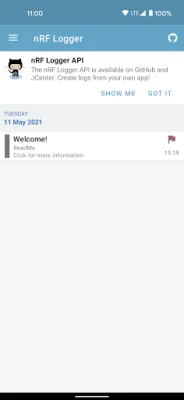
The nRF Logger is a useful tool for developers that allows them to debug their applications even when they are not connected to their computer. This means that developers can easily troubleshoot and fix any issues that may arise while testing their apps on their mobile devices. Additionally, the log sessions can be shared with customers, providing them with detailed information about the app's performance. The nRF Logger supports six different log levels, including DEBUG, VERBOSE, INFO, APPLICATION, WARNING, and ERROR. This allows developers to choose the level of detail they want to see in their logs, making it easier to pinpoint and address any problems that may occur. One of the key features of the nRF Logger is the ability to mark log sessions with a flag or description. This makes it easier for developers to find specific log sessions in the future, saving them time and effort. This feature is especially useful for larger projects with multiple log sessions. It is important to note that the nRF Logger requires nRF Connect version 1.1 or higher to function properly. This means that developers will need to ensure they have the latest version of nRF Connect installed in order to use the nRF Logger. For those interested in integrating the nRF Logger into their own applications, a public API has been released on GitHub. This API allows third-party applications to create log sessions and access the nRF Logger's features. More information and examples can be found on the GitHub page, making it easy for developers to incorporate the nRF Logger into their workflow.
Rate the App















Popular Apps









