One Hand Analog Clock-7
2.41 by StyleSeven.com (0 Reviews) November 28, 2025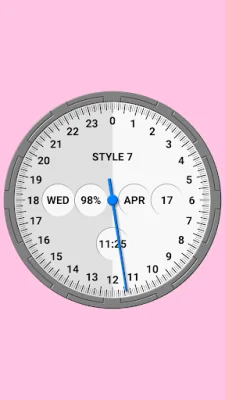
Latest Version
2.41
November 28, 2025
StyleSeven.com
Tools
Android
0
Free
style_7.onehandanalogclock_7
Report a Problem
More About One Hand Analog Clock-7
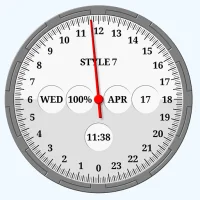
The clock application is a versatile tool that not only displays the current time in a digital format, but also provides additional features such as displaying the current date, day of the week, month, battery charge, and the ability to announce the current time through voice. This makes it a convenient and efficient way to keep track of time and stay organized throughout the day.
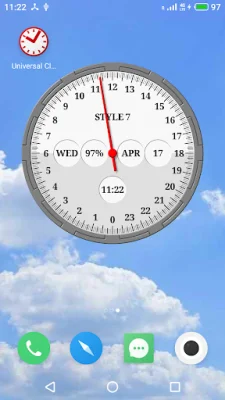
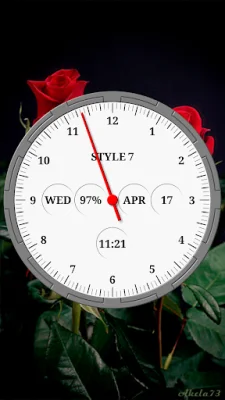
One of the unique features of this clock application is the ability to use an analog clock as a live wallpaper on your device's home screen. This allows you to customize the size and position of the clock to your preference, making it a personalized and visually appealing addition to your device.
In addition to being a live wallpaper, the analog clock can also be used as a screensaver while your device is charging. This not only adds a functional element to your device, but also adds a touch of style and elegance.
The clock can also be set as a topmost or overlay clock, meaning it will be displayed on top of all other windows on your device. This feature allows for easy access to the time without having to close or minimize any other applications. The clock's position and size can also be adjusted through a simple drag and drop method.
For those who prefer a full screen clock, the analog clock can also be used as an app with the screen staying on. This is perfect for situations where you need to keep track of time without having to constantly unlock your device.
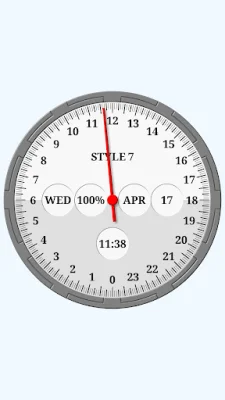
Some additional features of the clock application include the ability to choose between 12 or 24 hour mode, mark the dial as day/night or am/pm, and select the visibility and placement of the current date, day of the week, month, and battery charge. The PRO version also allows for full color control and the option to set a background image. And for added convenience, the current time can be announced through a double tap or periodically.
Rate the App









Popular Apps









