
Partial Screen
1.18.0 by Andrii Ichenets (0 Reviews) April 25, 2026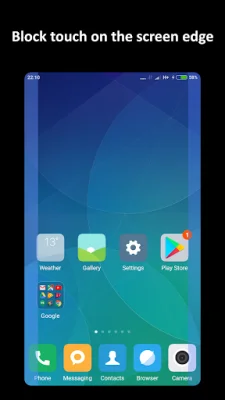
Latest Version
1.18.0
April 25, 2026
Andrii Ichenets
Tools
Android
0
Free
ich.andre.partialscreen
Report a Problem
More About Partial Screen
If you find yourself constantly being interrupted by accidental touches on your screen, this app can help. It allows you to block specific areas of your screen where these touches occur, intercepting all types of gestures and touches within those zones. There are two ways to add these blocking areas - automatically or manually.
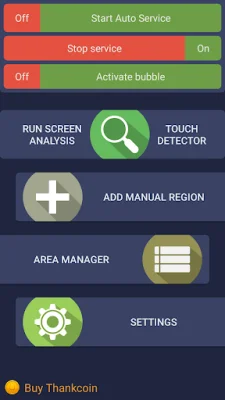
In automatic mode, the app will analyze your screen and intercept all touches for a set period of time to identify the areas that need to be blocked. During this analysis, it's important not to touch the screen. Once the analysis is complete, the app will minimize and combine the intercepted touches into blocked zones.
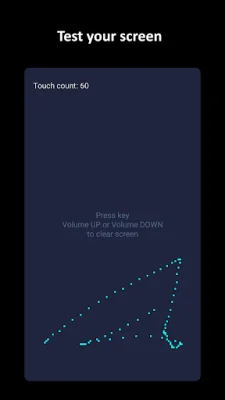
In manual mode, you can add the blocking areas yourself by selecting "add manual region" and placing the desired size area on your screen. You can also use the touch detector to track spontaneous touches on your screen.
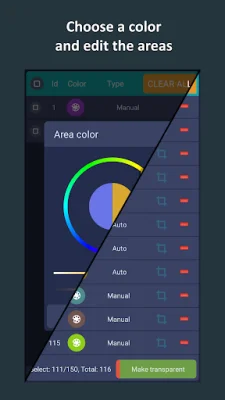
At the top of the screen, there are two switches for the two types of blocking. If you use both automatic and manual modes, make sure to enable both switches. In the area manager, you can select active or inactive areas, change their color, size, and position, and delete unnecessary ones.
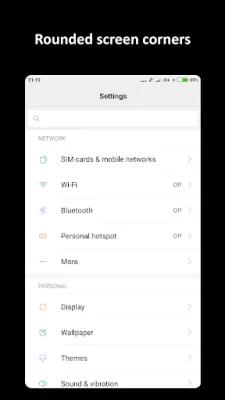
The app also offers the option to round the corners of your screen, with customizable color and radius settings. These rounded corners will be displayed on top of all other elements on your screen.
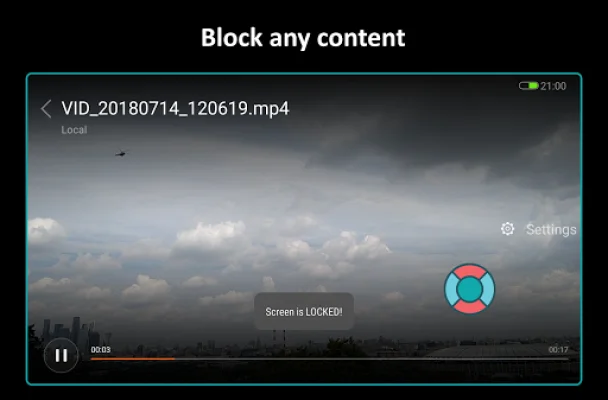
In bubble mode, you can double-tap on the indicator to lock the entire screen. The indicator will be displayed on top of all other views and can be placed anywhere on your screen.
For subscribers, there are additional advanced features available, such as editing areas in the manager, full overlap mode (for versions lower than Android 8.0), auto start service at power on, changing the transparency of all areas, and a maximum count of areas that is 50% higher. There is also a touch detector for detecting damaged zones, a bubble screen block mode, a preload mode for loading blocked areas from a local file, and rounded corners of the screen.
It's important to note that the full overlap mode is not supported for Android 8.0 and higher versions. For Samsung, Oppo, and Xiaomi devices, there are specific instructions to prevent the app from stopping or turning off. And for Huawei devices, you will need to manually grant the app permission to "Draw over other apps" and add it to the auto-start list to prevent it from turning off when clearing RAM.
If you want to see the app in action, there is a short video review available, as well as additional materials on the developer's website. If you have any questions or suggestions, you can contact the developer via email. And if you find the app useful, you can support the developer by purchasing Thankcoins.
Rate the App









Popular Apps









