

Power Shortcuts
1.4.1 by ChYK the dev (0 Reviews) August 09, 2024
Latest Version
1.4.1
August 09, 2024
ChYK the dev
Tools
Android
0
$1.99
com.ss.powershortcuts
Report a Problem
More About Power Shortcuts
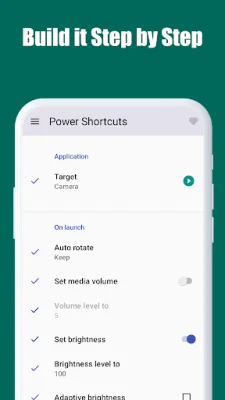
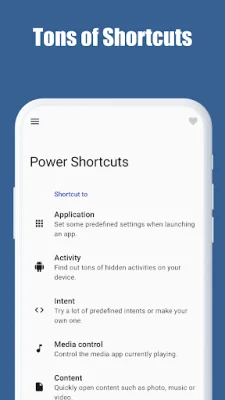
This app allows you to easily customize your device's settings when launching an app. You can also discover hidden activities on your device and try out various predefined intents or create your own. With the media control feature, you can easily control the media app currently playing. Additionally, you can quickly open your favorite content, such as photos, music, or videos, and even access websites and contacts with just a few taps.
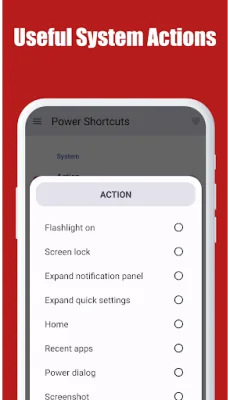
One of the most convenient features of this app is the ability to switch between quick settings, making it easy to adjust your device's settings on the go. You can also perform simple system functions, like turning on the flashlight or locking your screen, with just a few taps. Additionally, the app allows you to inject various key codes, such as media play/pause or the power button, for even more control over your device.
In order to perform these actions, the app uses the Accessibility service API, which allows it to command the system for various functions. This includes accessing the notifications panel, settings panel, recent apps, power dialog, split screen, taking screenshots, and locking the screen. However, the app does not process any other information from this permission, ensuring the privacy and security of your device.
It's important to note that some features of this app may not work properly on all Android devices, as they are implemented using non-open (unofficial) APIs of the Android framework. However, this should not deter you from using the app, as it offers a wide range of useful features that can greatly enhance your device's functionality. So, don't hesitate to give it a try and see how it can make your device even more convenient and efficient to use.
Overall, this app offers a variety of features that can help you customize and control your device in a more efficient and convenient way. From quick settings to media control and key injection, this app has something for everyone. So, if you're looking to enhance your device's functionality and make it even more user-friendly, be sure to give this app a try.
Rate the App















Popular Apps









