
PROLiNK mConnect
by PROLiNK (0 Reviews) April 17, 2026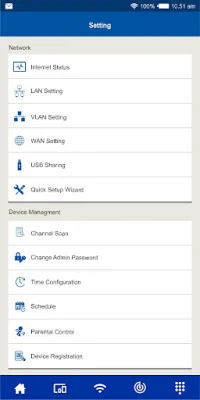
Latest Version
April 17, 2026
PROLiNK
Communication
Android
0
Free
com.prolink2u.smartrouter
Report a Problem
More About PROLiNK mConnect
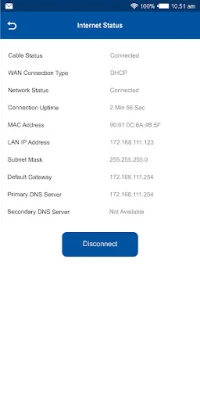
The PROLiNK mConnect App is a mobile application that allows users to easily access and manage their PROLiNK router from their mobile device. This app offers a convenient and hassle-free way to manage various router settings, such as Wi-Fi, DLNA, Parental Control, and Product Registration. With this app, users can easily control and customize their router settings without having to use a computer or laptop.
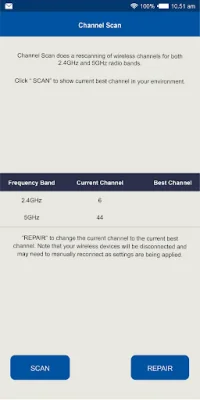
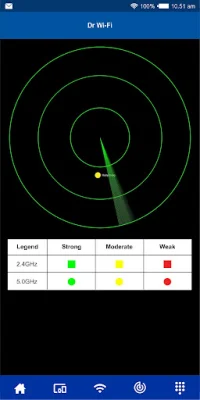
One of the key features of the PROLiNK mConnect App is Dr Wi-Fi, which helps users optimize their Wi-Fi signal and improve their overall internet experience. This feature scans for any potential issues with the Wi-Fi signal and provides solutions to improve its performance. Another useful feature is the Wi-Fi Channel Scan, which allows users to scan for the best Wi-Fi channel to use for their router, ensuring a stable and fast connection.
The app also offers Parental Control settings, allowing users to restrict access to certain websites or set time limits for internet usage. This is especially useful for parents who want to monitor and control their children's internet usage. Additionally, the Guest Wi-Fi Settings feature allows users to create a separate Wi-Fi network for guests, ensuring the security of their main network.
The PROLiNK mConnect App supports the PROLiNK PRC2401U model, but the company plans to expand its compatibility to other models in the future. This app is designed to be user-friendly and convenient, making it easy for users to manage their router settings on the go. With its various features and compatibility with the PROLiNK PRC2401U model, the PROLiNK mConnect App is a valuable tool for anyone looking to easily manage their router from their mobile device.
Rate the App














Popular Apps









