

PS Remote Play:Game Controller
by Tool Apps Hub (0 Reviews) December 05, 2025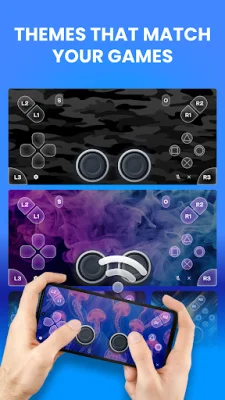



Latest Version
December 05, 2025
Tool Apps Hub
Tools
Android
0
Free
psremoteplay.gamecontroller.playstream
Report a Problem
More About PS Remote Play:Game Controller
This application allows users to switch between two modes: Screen mode and remote gamepad mode. In Screen mode, users can stream games directly to their phone, while in remote gamepad mode, they can control the game on their TV. The app provides a PS4 and PS5 remote play controller, making it easy for users to enjoy their games remotely.
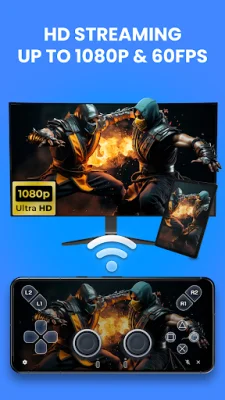
The core features of the app include a complete virtual game remote controller, with full buttons, joysticks, and triggers modeled after the classic DualShock/DualSense layout. Users can also choose between gamepad mode and screen mode, depending on their preference. The app offers seamless streaming and low-latency performance, with support for 1080p @ 60 FPS streaming. Users can also customize their button mapping and save unique control profiles, as well as easily import and export settings.
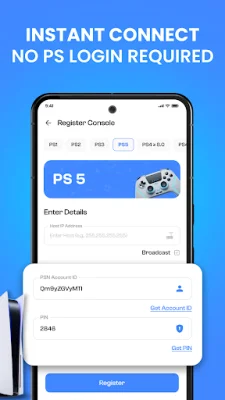
The app also allows users to customize their virtual gamepad with a selection of skins and themes, and offers easy pairing and quick setup. It is compatible with both PS4 and PS5 setups, and users do not need to log in to their PS account, ensuring a secure and private connection.
To set up the app, users need to enable remote play in their PS4/PS5 settings, enter their PS username, and connect their device and console to the same high-speed Wi-Fi network. Once paired, users can choose their preferred mode and start playing.
It is important to note that this is an independent, third-party app and is not affiliated with or endorsed by Sony Interactive Entertainment. The app does not stream games directly and only works with the official PS remote play feature enabled on the console. Performance may vary depending on console firmware, network conditions, and device. All trademarks and product names mentioned are the property of their respective owners and are used for identification purposes only. The app also has a privacy policy and offers support for users who need help with their PS controller or virtual game controller.
Rate the App















Popular Apps









