

Quick Dial
1.48 by Oleg Kroytor (0 Reviews) April 27, 2026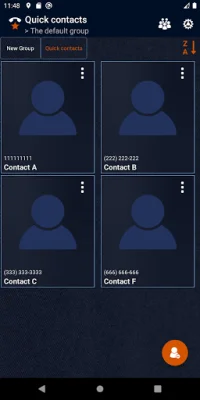



Latest Version
1.48
April 27, 2026
Oleg Kroytor
Communication
Android
0
Free
ua_olkr.quickdial
Report a Problem
More About Quick Dial
The application allows for easy organization and distribution of phone book contacts. It offers various options such as quick search, phone calls, text messages, and emails. Upon opening the application, a default group called "Quick Contacts" is created, but users have the ability to rename it or add additional groups as needed.
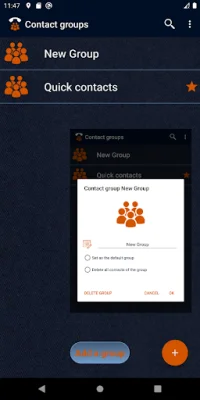
To add a new group, users can click on the "Contact groups" button in the top menu and then select "Add group". To quickly find a specific group, the "Group search" option in the top menu can be used.
Long pressing on a group in the list allows for various actions such as editing, deleting, setting it as the default group, or deleting all contacts within that group. The default group can also be selected in the top menu. Users can access the contact list of a specific group by clicking on the group in the list or using the tab line above the list.
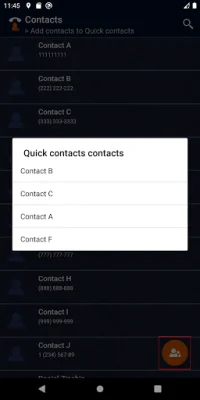
Adding a contact to a group is a simple process. Users can select the desired group from the list and click on the "Add Contacts" button. The application will then download the phone contacts list. To quickly search for a specific contact, the "Search for a contact" option in the top menu can be used. Contacts can be added by swiping left or right. If the contact already exists in the group, users will be notified. If the contact has multiple numbers, users can choose which number to add or select all numbers. A notification will appear once the contact has been successfully added.
In summary, this application provides a convenient and efficient way to manage and distribute phone book contacts. With its various features and user-friendly interface, it is a useful tool for staying organized and connected with contacts.
Rate the App















Popular Apps









