

Quick Search AI Browser
12.11.0 by Nexech (0 Reviews) July 11, 2026
Latest Version
12.11.0
July 11, 2026
Nexech
Communication
Android
0
Free
com.aospstudio.quicksearch
Report a Problem
More About Quick Search AI Browser
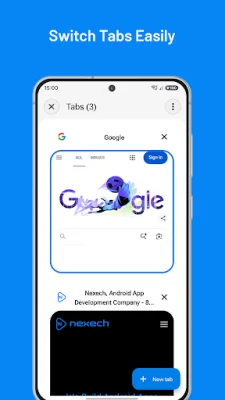
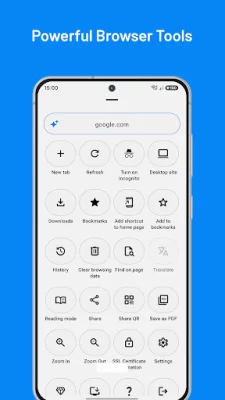
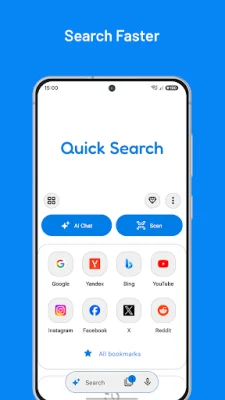
This application is designed to help users navigate the web more efficiently and securely. It offers a variety of features that make searching, browsing, and managing online activity easier. With this app, users can open multiple tabs, including private tabs for separate sessions. They can also save bookmarks, view browsing history, and search for specific text within a page. Additionally, the app provides useful tools such as page sharing, PDF saving, QR sharing, translation, and a desktop site mode.
One of the key features of this app is its ability to manage downloads. Users can track the progress of their downloads, perform actions such as pausing, resuming, and canceling, and even lock their downloads for added security. The app also offers ad and tracker blocking controls, allowing users to customize their browsing experience and protect their privacy. Site exceptions and custom rules can be set to further enhance the ad and tracker blocking feature.
It's important to note that while private browsing is available, it does not make online activity completely invisible to websites, networks, or services. The availability of certain features may also vary depending on the device, Android version, permissions, and supported services. However, the app offers a range of options for managing normal and private tabs, bookmarks, browsing history, and clearing data.
In addition to the aforementioned features, the app also allows users to use page tools such as find in page, desktop site mode, share, QR sharing, PDF saving, and reader-style viewing (where available). Users can also customize their experience by choosing which permissions to grant the app. Some features may require access to Android system settings, WebView/media support, or compatibility with other Nexech apps, TVs, displays, games, or audio sessions.
Overall, this app offers a comprehensive and user-friendly browsing experience with a variety of features to enhance productivity and privacy. Whether you're searching the web, managing downloads, or blocking ads and trackers, this app has you covered. So go ahead and give it a try, and see how it can improve your online browsing experience.
Rate the App















Popular Apps









