

Reading mode
1.2.568206642 by Google LLC (0 Reviews) July 27, 2024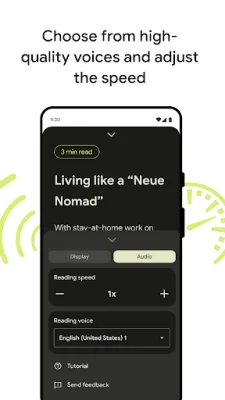
Latest Version
1.2.568206642
July 27, 2024
Google LLC
Tools
Android
0
Free
com.google.android.accessibility.reader
Report a Problem
More About Reading mode
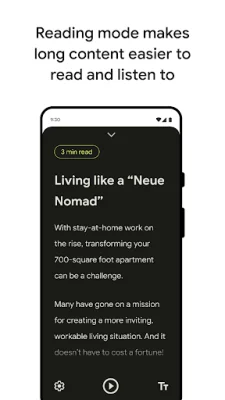
Reading mode is an application that can be downloaded and installed from the Play Store. It provides a customizable reading environment without clutter, making it easier to access and focus on content. To get started, simply download and install the app, then find it on your home screen and tap to open it. The tutorial will guide you through the settings, where you can toggle on the "Reading mode shortcut" to allow the app to access your device. For more information on setting up different entry points for Reading mode, you can refer to the support page provided.
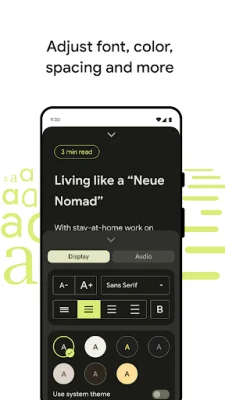
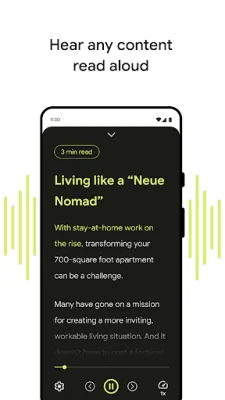
One of the key features of Reading mode is its focused reading view, which eliminates distractions and allows for a more immersive reading experience. The app also offers a text-to-speech feature, allowing you to have written content read out loud with a touch of a button. You can choose from a selection of high-quality voices and easily control the audio options, such as rewind, fast forward, and reading speed. Additionally, you can adjust the font type, size, style, color, and line spacing to customize the reading experience according to your needs.
Once downloaded, Reading mode is integrated into the phone interface for quick access. It also supports multiple languages, including English, French, Italian, and Spanish, with more languages to be added in the future. The app is also compatible with Talkback, making it easy to use for those who rely on screen readers. Privacy is also a top priority, as the content is never sent off your phone.
To provide feedback and receive product updates, you can join the accessible Google group. However, there are some requirements for using Reading mode. It is only available for phones with Android 9 and later, and currently supports English, French, Italian, and Spanish. The app also requires accessibility service permission, as it observes your actions and window content.
In summary, Reading mode is a useful application for those who want a focused and customizable reading experience. It offers features such as text-to-speech, font customization, and multi-language support, while also prioritizing privacy. It is easy to access and use, and users can provide feedback and receive updates through the accessible Google group.
Rate the App















Popular Apps









