
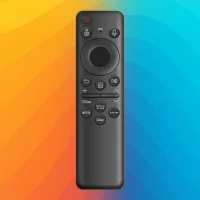
Remote Control for Samsung TV
by Sampaio Tech (0 Reviews) November 04, 2025
Latest Version
November 04, 2025
Sampaio Tech
Tools
Android
0
Free
com.sampaio_tech.universal_control_smart_tv
Report a Problem
More About Remote Control for Samsung TV
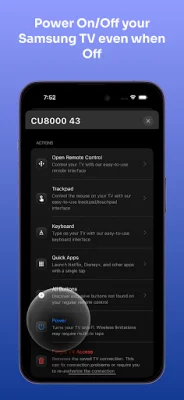
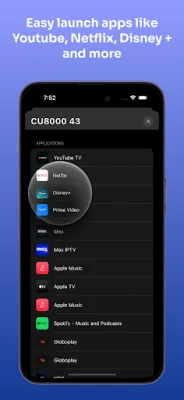
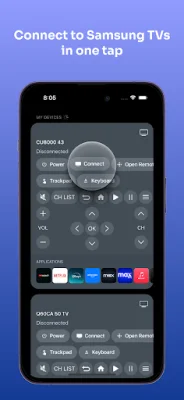
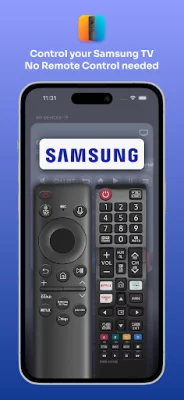
This application is a remote control for Samsung TVs that allows users to easily access and control various streaming apps such as Netflix, YouTube, Disney+, and Twitch with just one tap. It also has the ability to turn the TV on and off, even when it is powered off, for supported Samsung models. The remote control feature allows users to navigate through menus, change channels, adjust volume, and switch input sources using directional keys.
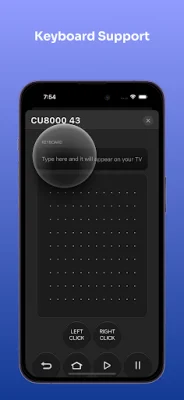
One of the unique features of this app is the Trackpad Mode, which allows users to use their iPhone or iPad as a touchpad to swipe, tap, and scroll through content on their TV. It also supports keyboard input, making it easy to search for content or input text using your mobile device.
The app also offers multi-TV support, allowing users to connect and switch between multiple Samsung TVs with ease. It automatically connects to the TV via Wi-Fi whenever the app is opened, and users can personalize the interface with a light or dark theme. Haptic feedback is also available, providing subtle vibrations when interacting with buttons.
With support for over 30 languages, including English, Spanish, Portuguese, French, and more, this app is accessible to a wide range of users. It is optimized for Android and tablet devices, with a clean and responsive design that works seamlessly across different screen sizes.
This app is built using the official SmartThings API, ensuring reliable connectivity with Samsung TVs. It also offers a free Samsung remote, making it a convenient and cost-effective option for controlling your TV.
Users can access the Terms of Use and Privacy Policy for this app through a provided link, and it is important to note that this is not an official Samsung application and is not affiliated with or endorsed by Samsung or any other mentioned trademark. Overall, this app offers a convenient and user-friendly way to control your Samsung TV and access your favorite streaming apps.
Rate the App









Popular Apps









