Remote Control TV for Rokuer
1.2.1 by ToolsLab (0 Reviews) July 29, 2024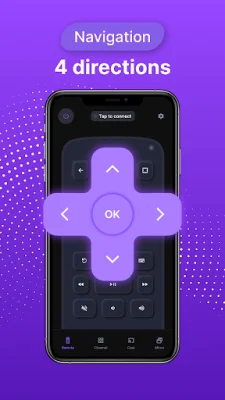
Latest Version
1.2.1
July 29, 2024
ToolsLab
Tools
Android
0
Free
com.toolslab.remoterokutv
Report a Problem
More About Remote Control TV for Rokuer
The Universal Roku TV Remote App is a convenient and easy-to-use solution for controlling your Roku TV. It is compatible with a variety of Roku streaming devices, including the Roku Express, Roku Streaming Stick, and Roku Ultra, as well as Roku TVs from popular brands like TCL, Hisense, and Philips. The app can be downloaded on any Android mobile device with a system version of 7.0 or later.
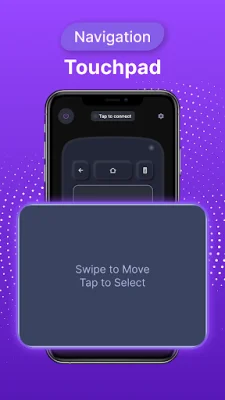
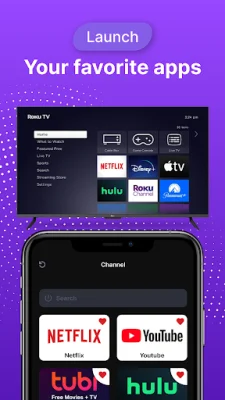
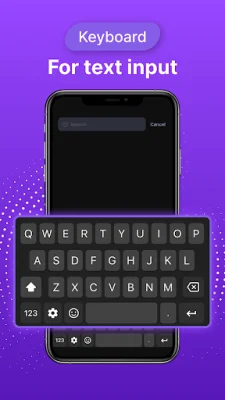
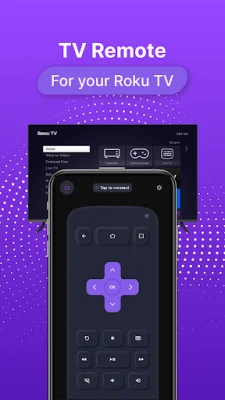
With this app, you can easily navigate the Roku TV interface using a touchpad for scrolling and swiping. It also offers playback controls, such as play/pause and fast forward/rewind, as well as volume control. The virtual keyboard feature makes it simple to enter text, passwords, and search queries on your Roku TV. You can even create shortcuts for your favorite channels, making it quick and easy to access them with just one tap.
To connect the remote controller app to your Roku TV, your Android device must be connected to the same network as the TV. Once connected, you can control your Roku devices with the app. In case of any issues, such as not being able to connect to the TV, simply reinstall the app and reboot the TV to fix most bugs.
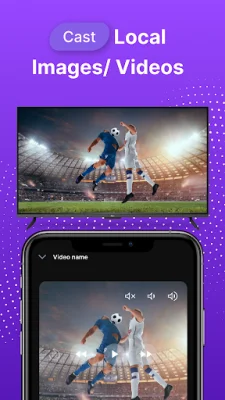
In addition to controlling your Roku TV, this app also offers features like screen mirroring and casting to your TV. This allows you to share your screen and watch local photos and videos on a bigger screen. The app is user-friendly and offers a simple setup process, making it a convenient and efficient replacement for your physical Roku remote.
In summary, the Universal Roku TV Remote App is a versatile and user-friendly solution for controlling your Roku TV. With its various features and compatibility with a wide range of devices, it offers a seamless and convenient viewing experience. So, whether you've lost your physical remote or just prefer using your phone, this app is the perfect choice for controlling your Roku TV.
Rate the App















Popular Apps









