Remote Fire TV - Firestick
1.2.1 by ToolsLab (0 Reviews) July 25, 2024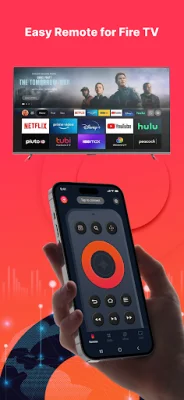
Latest Version
1.2.1
July 25, 2024
ToolsLab
Tools
Android
0
Free
com.toolslab.remotefiretv
Report a Problem
More About Remote Fire TV - Firestick
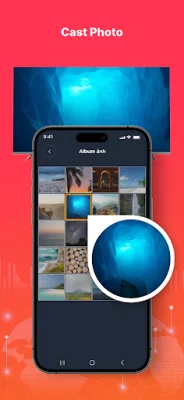
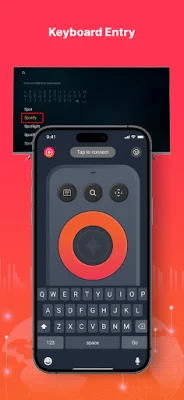
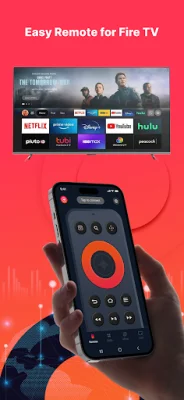
This application allows you to control your Fire TV or Fire Stick using your Android mobile device as a remote. All you need to do is connect both devices to the same Wi-Fi network and enable ADB on your Fire TV. Once connected, you can use your phone to control your TV, including using a keyboard for easier text input and quick access to your favorite channels and apps. You can also mirror your phone's screen to your TV with low latency, cast local photos and videos, and even turn your Fire TV on and off with just a tap. To make things even more convenient, you can enable the Fire device auto-connect control button.
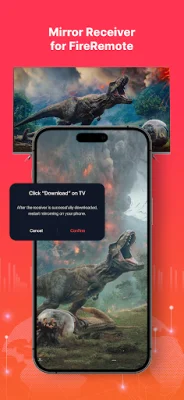
In order to use this app, you will need to download the companion mirroring receiver app, Screen Mirroring for Fire TV, on your TV device. This will ensure smooth screen mirroring between your phone and TV.
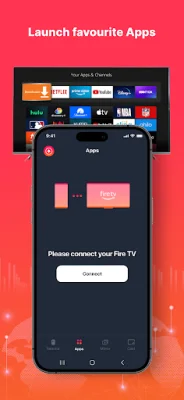
To connect your Android phone to your Fire TV or Fire Stick, you will need to follow a few simple steps. First, make sure ADB debugging is enabled on your Fire device. Then, ensure that both your Fire TV and Android phone are connected to the same Wi-Fi network. Next, tap to connect your device and the app will automatically search for Fire devices in your home.
If you want to screen mirror to your Fire TV, you can do so by launching the remote app and connecting it to your Fire TV on the same network. Then, click "Mirror" to enter the mirroring interface and follow the prompt message to download the receiver app, Screen Mirroring Receiver for Fire TV, on your TV device. Once the receiver app is downloaded, you can restart mirroring on your phone and enjoy rapid screen mirroring.
This application is a convenient and easy way to control your Fire TV or Fire Stick using your Android mobile device. With features like a fully functional remote, keyboard input, and screen mirroring, it offers a seamless and user-friendly experience. So, download the app and start enjoying the convenience of controlling your Fire TV with your phone today!
Rate the App















Popular Apps









