Remote for LG TV Smart Control
by MONIQ TAP., CO LTD (0 Reviews) March 19, 2026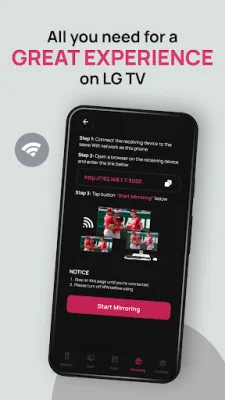
Latest Version
March 19, 2026
MONIQ TAP., CO LTD
Tools
Android
0
Free
com.moniqtap.lgtv.smart.remote
Report a Problem
More About Remote for LG TV Smart Control
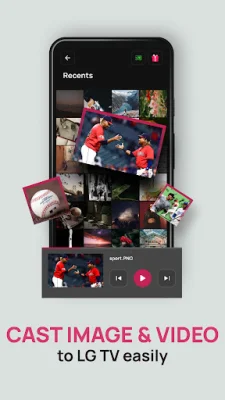
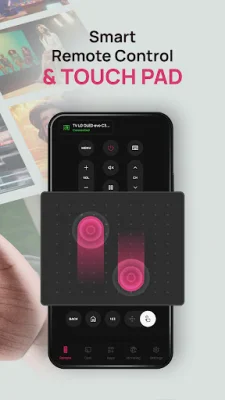
Control your television with ease using our smart remote app. This powerful tool turns your smartphone into a virtual controller, featuring a touch pad, media casting, and screen mirroring for a better viewing experience.
DISCLAIMER: This app is not an official LG Electronics application. We are not affiliated with or endorsed by LG Electronics in any way.
Our smart remote app is designed to make managing your TV effortless, especially when your physical remote is lost or out of battery. It is specifically designed to work with LG Smart TVs, providing a seamless and convenient experience.
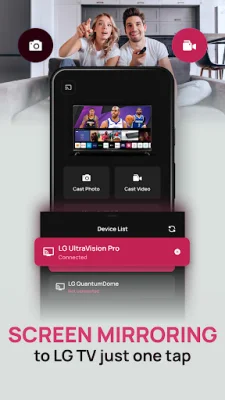
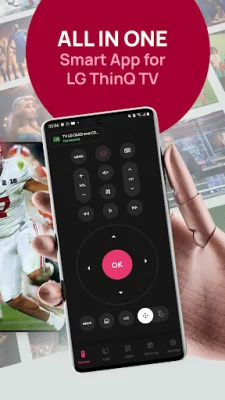
With our app, you can use your phone as a full-featured remote with all the essential buttons for your smart TV. The smart touch pad allows for faster and more intuitive navigation through menus compared to a traditional controller. You can also cast photos, videos, and music from your phone directly to your television screen, as well as mirror your phone screen for presentations, video streaming, or web browsing. The app also automatically detects and connects to your device when both are on the same WiFi network.
To use our app, simply connect your phone and Smart TV to the same WiFi network, open the app, and select your TV from the list. You can then start controlling, casting, or mirroring instantly.
Our app is a reliable replacement for a lost or broken physical remote, with a simple and user-friendly interface. The touchpad navigation is smooth and responsive, making it a convenient tool for managing your TV.
However, please note that while our app is free to install, there are some premium features that require a purchase or subscription to use. Non-subscribed users can still use each premium feature a limited number of times per day. Subscriptions automatically renew unless cancelled 24 hours before the end of the period, and can be managed in your account settings. Any unused portion of a free trial will be forfeited if you subscribe.
For more information, please refer to our Terms of Use and Privacy Policy. We strive to provide an original and SEO-oriented experience for our users.
Rate the App







Popular Apps









