Remote for Roku - TV Remote
1.00.110 by Flugzeug (0 Reviews) August 03, 2024
Latest Version
1.00.110
August 03, 2024
Flugzeug
Tools
Android
0
Free
com.flugzeug.rokuremote
Report a Problem
More About Remote for Roku - TV Remote
Welcome to Roku Remote - Your Ultimate Roku Remote Control! This app allows you to use your Android device as a remote control for your Roku-powered smart TV. Say goodbye to the hassle of searching for your physical remote and hello to the convenience of controlling your TV with your phone.
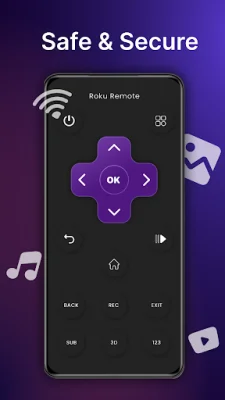
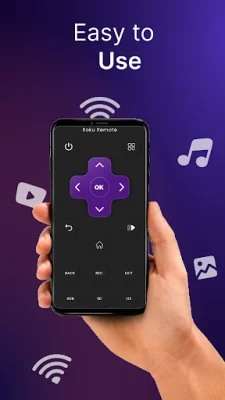
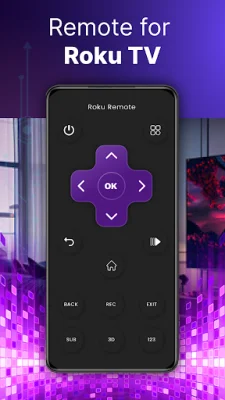
With Roku Remote, you can easily navigate through channels, adjust volume, and manage playback with an intuitive interface. The app connects seamlessly via WiFi, allowing you to control your Roku device from anywhere in your home.
Setting up the app is quick and straightforward, and once connected, you can start controlling your Roku with just a tap. You can also customize the remote layout to your preferences for a personalized control experience. Plus, with the upcoming feature of voice commands, you can enhance your Roku experience even further.
This app is compatible with common Roku TV models, making it the perfect solution for those who have misplaced their physical remote or prefer the convenience of using their phone. It eliminates the need for multiple remotes and simplifies your Roku experience.
To connect to your TV, make sure your TV is connected to your home's WiFi network and your Android phone's WiFi is turned on and connected to the same network. Then, simply launch the app and select your TV as the target device. If you encounter any issues, try reinstalling the app and rebooting your TV.
Download Roku Remote now and elevate your Roku experience today! Please note that this app is not affiliated with Roku, Inc. or any TV brands mentioned above.
Rate the App















Popular Apps









