Remote for Sony Bravia TV
by KRAFTWERK 9 LTD (0 Reviews) October 15, 2024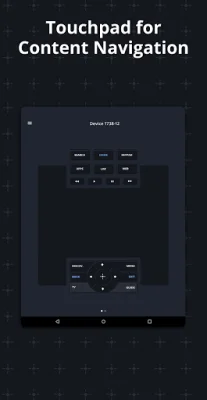
Latest Version
October 15, 2024
KRAFTWERK 9 LTD
Tools
Android
0
Free
com.kraftwerk9.sonyfy
Report a Problem
More About Remote for Sony Bravia TV
The Sonyfy app allows you to easily control your Sony Bravia TV using your mobile device. To get started, make sure your TV and mobile device are connected to the same Wi-Fi network. Then, simply launch the app and select your Sony TV from the list of detected devices. You will need to enter a PIN displayed on your TV screen into the app to establish a connection.
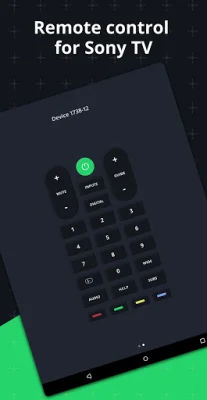
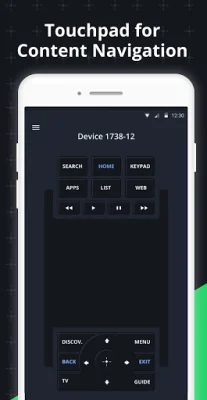
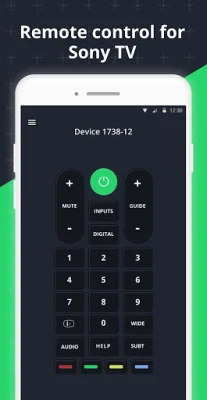
With all the necessary buttons for TV control, the Sonyfy app eliminates the need for a physical remote or purchasing a new one if yours is broken. The app also features a multifunctional touchpad, making it easy to scroll through menus and select your favorite content.
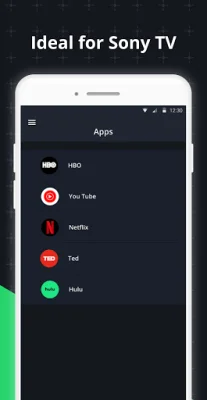
In addition to TV control, the Sonyfy app also allows you to launch apps directly from your Android device. This includes popular apps like Netflix, Youtube, and a web-browser.
With Sonyfy, your phone or tablet becomes a smart remote for your Sony Bravia Android TV. The app automatically detects your TV on the Wi-Fi network and offers a convenient touchpad for navigation. It even has compatibility with Wear OS, making it even easier to control your TV.
It's important to note that Kraftwerk 9, Inc is not affiliated with Sony Corporation and the Sonyfy app is not an official Sony product. However, it offers a convenient and user-friendly solution for controlling your Sony Bravia TV.
Rate the App






Popular Apps









