Roku Remote Control: TV Remote
1.0.13 by LAMAI (0 Reviews) March 20, 2026
Latest Version
1.0.13
March 20, 2026
LAMAI
Tools
Android
0
Free
leva.roku.remote.tv.control
Report a Problem
More About Roku Remote Control: TV Remote
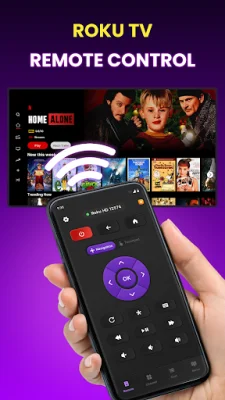
Roku Remote: TV Control is an app that allows you to control your Roku device with your phone. It connects to your Roku quickly and easily over WiFi, without the need for pairing codes or Bluetooth. With over 170,000 users and growing, it is a trusted and reliable option for controlling your Roku.
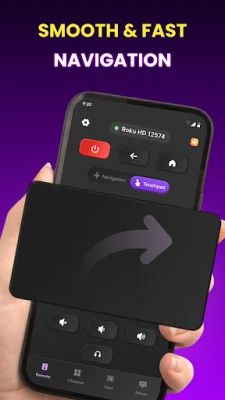
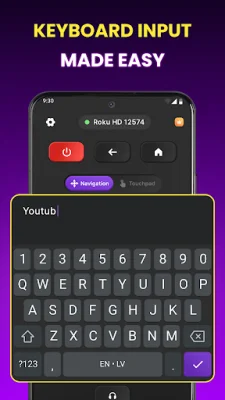
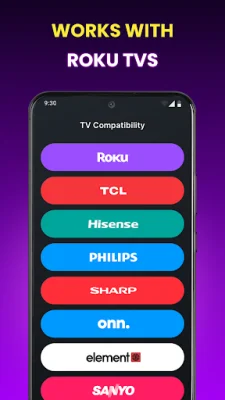
There are several reasons why users choose to switch to this Roku remote app. Firstly, it offers an instant connection, automatically discovering your Roku device in under 3 seconds. It also works with every type of Roku, including streaming sticks, Express, Premiere, Ultra, and all Roku TVs. The app also features a smart keyboard, allowing you to type searches on popular streaming services like Netflix and Hulu 10 times faster than with a physical remote. You can also control the volume and power of your Roku TV directly from the app, and use the smooth touchpad to navigate, just like on your phone's screen.
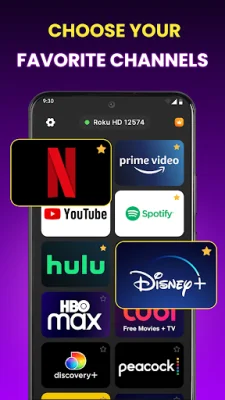
This app is designed to replace your physical remote, offering all the necessary features right on your phone. This includes D-pad navigation, intuitive touch controls, and the ability to use voice search for hands-free browsing. You can also quickly launch your favorite streaming apps, play, pause, and rewind content, and access all standard remote buttons. The app even has a sleep timer for late-night viewing and can be used in both portrait and landscape modes.
Getting started with Roku Remote: TV Control is simple and only takes three taps. First, connect your phone to the same WiFi network as your Roku. Then, open the app and it will automatically find your Roku device. Finally, tap to connect and you're ready to start watching. There are no complicated setup processes or pairing codes to deal with, and you'll never have to replace batteries.
This app is perfect for a variety of situations, such as when you can't find your physical remote, need to type a search quickly, want volume control without leaving the couch, or have multiple Roku devices at home. It also serves as a convenient backup remote that you can always have with you in your pocket. Whether you're binge-watching your favorite series or exploring new content, this Roku remote app ensures that your remote is always with you. So why wait? Download Roku Remote: TV Control today and take control of your Roku device!
Rate the App







Popular Apps









