ROKU Smart Tv remote controlle
6.0.0 by Satyam Mobile Infotech (0 Reviews) October 15, 2024
Latest Version
6.0.0
October 15, 2024
Satyam Mobile Infotech
Tools
Android
0
Free
com.satyam.mobile.roku.remotecontrol
Report a Problem
More About ROKU Smart Tv remote controlle
Roku Remote is an application that allows you to control your Roku player or Roku TV directly from your Android device. This app offers a variety of features that make it easy and convenient to navigate through your Roku channels and content. The best part? No setup is required! The app automatically scans your network to find your Roku, making it quick and hassle-free to get started.
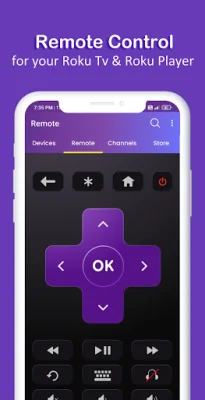
One of the standout features of Roku Remote is its large touchpad, which allows for easy and precise menu and content navigation. This means you can easily scroll through your channels and select the content you want to watch without having to fumble with small buttons or a clunky remote. Additionally, the app allows you to use your keyboard for quick text entry on channels like Netflix or Hulu, making it even easier to search for your favorite shows and movies.
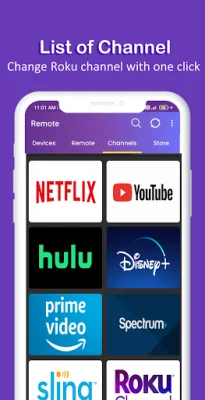
Navigation through the app is also made simple with the use of arrow keys. You can easily move up, down, right, and left to navigate through menus and content. And if you want to launch a channel directly from the app, you can do so with just a few taps.
In addition to controlling your Roku player or TV, the app also allows you to adjust the volume directly from your Android device. This means you don't have to juggle multiple remotes or get up from your comfortable spot on the couch to change the volume.
Roku Remote is also compatible with tablets, making it even more convenient to control your Roku device. And to use the app, all you need to do is connect your Android device to the same network as your Roku player or TV.
It's important to note that Roku Remote is not an official product of Roku. The app is created by RoHearts and is not affiliated with Roku, Inc. in any way. However, if you find the app useful, the developers would appreciate a 5-star rating. So if you're looking for a convenient and easy way to control your Roku player or TV, give Roku Remote a try and see how it can enhance your viewing experience.
Rate the App





Popular Apps









