Roku TV・Remote Control
by Sunmait Technologies (0 Reviews) April 09, 2026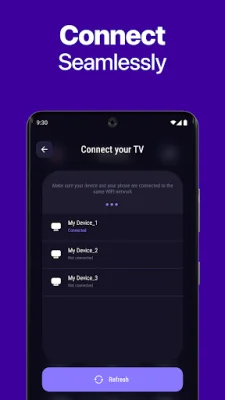
Latest Version
April 09, 2026
Sunmait Technologies
Tools
Android
0
Free
com.rokuremotetv.app
Report a Problem
More About Roku TV・Remote Control
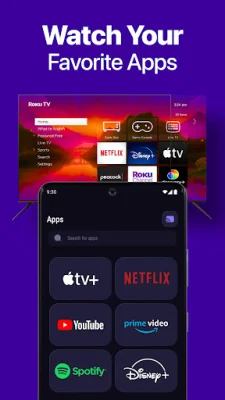
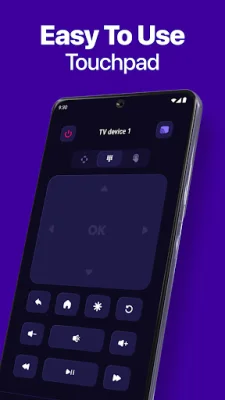
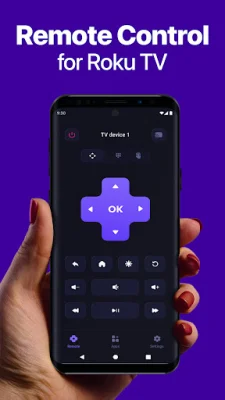
Roku is an application that allows you to control your Roku device with ease. It provides a simple remote with arrows, OK and back buttons, as well as the ability to play, pause, rewind, and fast-forward. You can also control the volume and mute your TV, and power on/off supported Roku TVs. Additionally, the app offers quick access to channels and apps, making it convenient to navigate and use your Roku device.
The setup process for the Roku app is easy and straightforward. All you need to do is connect your Roku device and phone to the same Wi-Fi network. Once connected, the app will automatically find your Roku device. Then, simply tap to connect and start controlling your TV. There is no need for an IR blaster or pairing codes, and the setup does not require any complicated steps. Everything works through your local network, making it hassle-free.
Privacy and security are important considerations for any app, and Roku takes this seriously. The app communicates directly with your Roku device within your home network, ensuring that your personal information is kept safe. The app does not ask for your Roku account password and does not have access to what you watch on your TV, providing you with peace of mind.
The Roku app is compatible with most Roku TVs and streaming players that support network remote control. However, certain features such as power and volume control may vary depending on your specific TV model and Roku software version. It is always recommended to check the compatibility before using the app.
Lastly, Roku has a Terms of Use and Privacy Policy that users should be aware of. These can be found in the provided links and outline the terms and conditions for using the app, as well as the privacy practices in place to protect user data. It is important to read and understand these policies before using the app.
Rate the App







Popular Apps









