

RPI SSH Pro - for Linux/Debian
by Parti Albert - App system Code (0 Reviews) May 22, 2026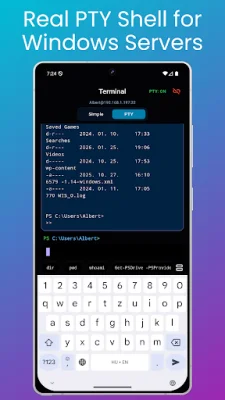
Latest Version
May 22, 2026
Parti Albert - App system Code
Tools
Android
0
Free
com.appsyscode.sshnasrpi
Report a Problem
More About RPI SSH Pro - for Linux/Debian
RPI SSH PRO is a mobile application that allows users to easily manage their servers. It is a modern and fast SSH client that supports various systems such as Raspberry Pi, Linux, Debian, Synology, and Windows servers with OpenSSH. With this app, users can quickly access system status, perform maintenance tasks, and execute commands.
The app has a dashboard that provides a quick overview of important system information such as uptime, CPU usage, temperature, storage, and connected drives. This makes it easy for users to monitor their servers and diagnose any issues.
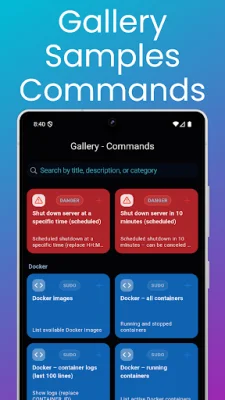
Users can also take advantage of the Command Gallery, which offers a variety of prebuilt command templates that can be added to their own Command Cards. These templates are perfect for maintenance, diagnostics, and administration tasks and work across different systems and environments.
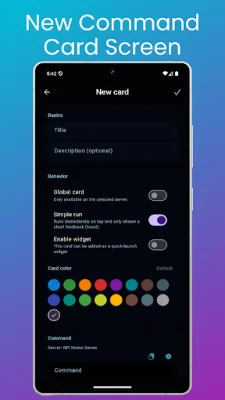
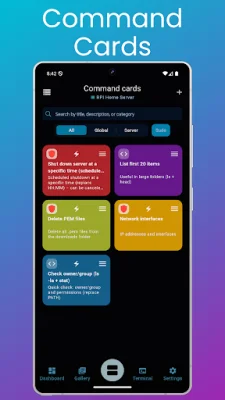
The Command Cards feature allows users to manage their custom commands using cards. They can add, edit, and search for command cards, reorder them with drag and drop, and even use a Quick Run mode for one-tap execution. These cards can be global or server-specific, making it easy to reuse commands across multiple servers and platforms.
The app also offers a Widget Quick Launch feature, where users can add their most frequently used command cards as widgets. This allows them to run commands without even opening the app, making it ideal for quick maintenance and monitoring tasks.
RPI SSH PRO also supports multi-server management, allowing users to add and edit multiple servers and switch between them quickly. The app ensures secure connections with SSH host key verification and can handle mixed environments, making it a convenient all-in-one solution.
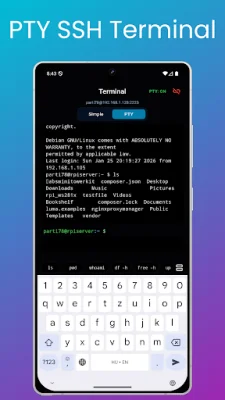
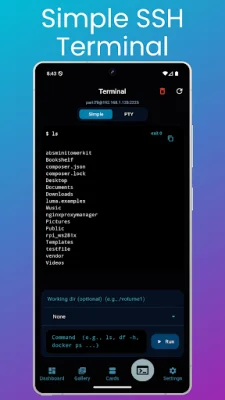
Users can choose between a Simple terminal or a Full PTY terminal for their preferred terminal experience. The Ping screen is also directly accessible from the terminal view, making it easy to check network connectivity and perform targeted ping tests. The app also offers Windows PTY support for Windows servers, making it ideal for Windows Server administration over SSH.
The app is fully customizable, with options for dark/light/colorful/system default themes, language selection, command card size adjustment, SSH and PTY terminal logging, and more. It also has a Tools section in the Settings, where users can access features such as Ping, LAN Scan, and Port Scan.
The Full version of the app offers all these features and is available for a one-time purchase, with no subscription required. This purchase helps support further development of the app. Overall, RPI SSH PRO is a comprehensive and user-friendly app for managing servers on the go.
Rate the App















Popular Apps









