
Samsung My Files
by Samsung Electronics Co., Ltd. (0 Reviews) July 24, 2024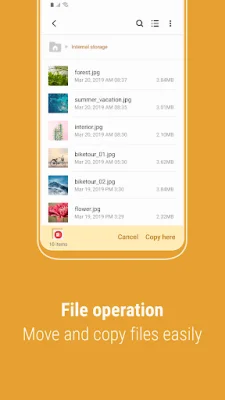
Latest Version
July 24, 2024
Samsung Electronics Co., Ltd.
Tools
Android
0
Free
com.sec.android.app.myfiles
Report a Problem
More About Samsung My Files
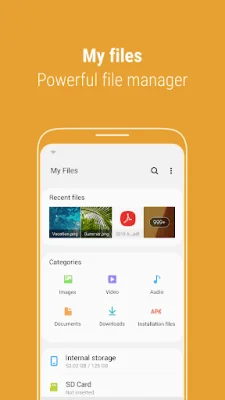
"My Files" is a mobile application that allows users to manage all the files on their smartphone, similar to a file explorer on a computer. It also allows users to manage files stored on SD cards, USB drives, and cloud storage connected to their smartphone. This app is available for download and users can start using it right away.
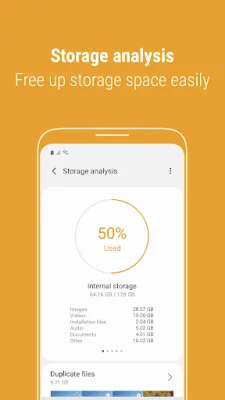
The app comes with new features that make it even more convenient for users. One of the features is the "Storage Analysis" button on the main screen, which allows users to easily free up storage space. Another feature is the ability to hide any unused storage space from the main screen through the "Edit My Files home" option. Additionally, users can now view long file names without ellipses by using the "Listview" button.
Some of the key features of "My Files" include the ability to browse and manage files stored on the smartphone, SD card, or USB drive. Users can create folders, move, copy, share, compress, and decompress files, as well as view file details. The app also offers user-friendly features such as a Recent Files list, Categories list, and folder and file shortcuts. It also provides a function to analyze and free up storage space.
One of the convenient features of "My Files" is its integration with cloud services. Users can access and manage files from Google Drive and OneDrive directly through the app. However, it is important to note that the supported features may vary depending on the user's device model.
In order for the app to function properly, certain permissions are required. These include storage permissions, which allow the app to open, delete, edit, and search files and folders on the internal and external memory of the device. Overall, "My Files" is a useful and user-friendly app for managing files on a smartphone, with added features to make the process even more convenient.
Rate the App















Popular Apps









