

Samsung Voice Recorder
by Samsung Electronics Co., Ltd. (0 Reviews) July 27, 2024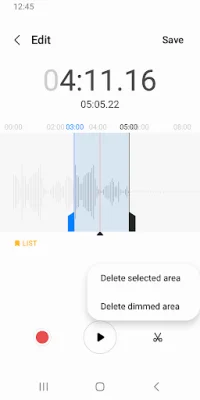
Latest Version
July 27, 2024
Samsung Electronics Co., Ltd.
Tools
Android
0
Free
com.sec.android.app.voicenote
Report a Problem
More About Samsung Voice Recorder
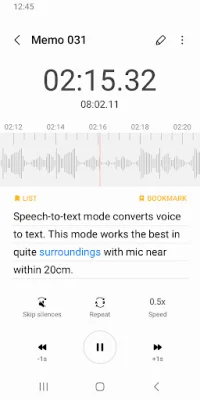
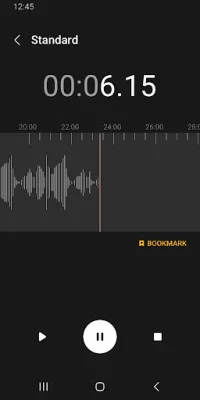
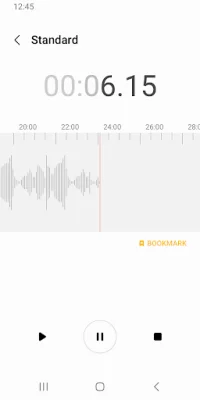
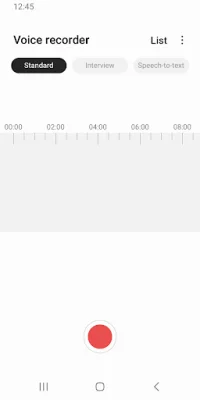
For your everyday needs, we have created a "Voice Memo" recording mode that allows you to convert your voice into text using speech-to-text technology. This application offers three different recording modes: Standard, Interview, and Voice Memo. The Standard mode provides a simple recording interface, while the Interview mode uses two microphones to capture both your voice and your interviewer's or interviewee's voice. The Voice Memo mode records your voice and converts it into on-screen text using speech-to-text technology.
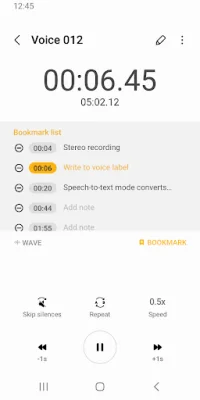
Before starting a recording, you have the option to configure the directory path if an external SD-card is available. During the recording, you can reject incoming calls and bookmark specific points in the recording. Additionally, background recording is supported by simply pressing the HOME button.
Once a recording is saved, you can perform various actions such as launching a mini or full player from the recordings list. The built-in sound player also supports media controls like skipping muted sections, adjusting playback speed, and repeat mode. You can also edit the recording by renaming or deleting it, as well as share it with friends via email or messages.
Please note that this application is not supported on Samsung S5, Note4, or Android M-OS. The available recording mode may also vary depending on the device model. This is a preloaded application on Samsung devices and comes pre-installed.
The app requires certain permissions to function properly. The required permissions include access to the microphone for recording and access to music and audio storage to save recorded files. Optional permissions include access to nearby devices for Bluetooth headset information and access to notifications for sending notifications.
Rate the App















Popular Apps









