Screen Mirroring – TV Miracast
by iStack (0 Reviews) April 05, 2026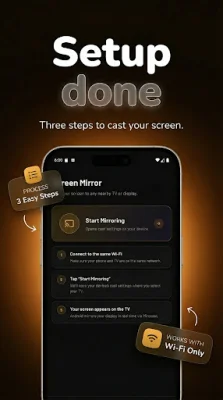
Latest Version
April 05, 2026
iStack
Tools
Android
0
Free
com.istack.screen_mirroring
Report a Problem
More About Screen Mirroring – TV Miracast
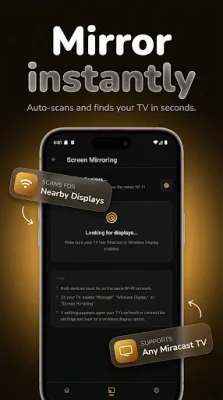
This application allows you to easily mirror your Android device onto any TV or display without the need for cables or complicated setup. With Wi-Fi Direct peer-to-peer technology, there is no lag and your screen is directly transmitted to the TV without any intermediary devices.
Using our network radar, you can quickly and effortlessly discover available Smart TVs, wireless display adapters, and DLNA receivers. There is no need for pairing codes or configuration, simply tap the device you want to mirror to and the session will begin instantly.
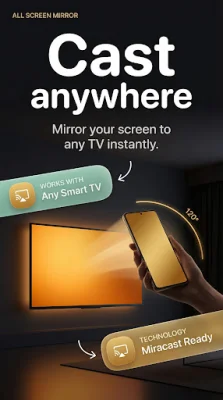
Our app supports true Miracast screen mirroring, meaning you can stream your entire Android screen in real-time. This includes apps, games, videos, browser sessions, photos, and presentations. The Miracast technology ensures that whatever is on your phone will appear on the big screen without any delay. Additionally, our app automatically adjusts the stream quality for optimal performance based on your wireless connection.
Not only can you mirror your screen, but you can also cast and share media such as photos and videos to your TV. Our app supports all formats and works with any DLNA display, LED TV, or Smart TV that is compatible with screen mirroring. There are no account or subscription requirements, making it easy to cast to any TV in any room.
For those who want more control over their screen mirroring experience, our app offers built-in controls for bitrate and resolution. This allows you to customize the quality of your wireless screen cast, whether you want maximum HD fidelity or prioritize smooth performance based on your network strength. Additionally, our app provides live monitoring of your connection status, ensuring a clean and stable screen mirroring session.
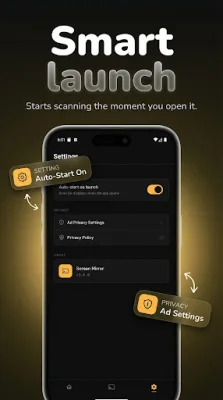
Our casting app is compatible with a wide range of displays, including Miracast, DLNA, wireless display adapters, LED TVs, and more. The interface design is sleek and modern, with fluid animated gradients inspired by the popular glassmorphism trend. It not only works well, but it also looks great on your home screen.
With this app, you can do a variety of things, such as casting movies, streaming apps, and games from your phone to the TV. It's also great for work presentations, gaming sessions, teaching, and family viewing. You can even use it while traveling to mirror your phone onto hotel TVs, projectors, and conference room displays.
Supported connections include Miracast, DLNA, Wi-Fi Direct, HDMI wireless, LED TVs, and more. Download Screen Mirroring – TV Miracast now and start your wireless TV cast session in seconds.
Rate the App



Popular Apps









