TVee – Remote Control for TV
by TVee - Remote Control for All TV (0 Reviews) April 05, 2026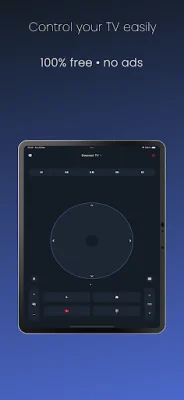
Latest Version
April 05, 2026
TVee - Remote Control for All TV
Tools
Android
0
Free
org.remote.controller.tvee
Report a Problem
More About TVee – Remote Control for TV
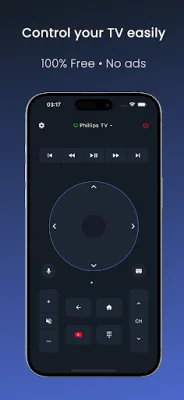
Tired of constantly searching for your TV remote or struggling to keep track of multiple remotes for different TVs? Look no further than TVee, the ultimate solution to all your remote control woes. This free and ad-free app turns your phone into a universal Smart TV remote, instantly connecting to any Android TV or Google TV. With TVee, you can effortlessly control your television, change channels, adjust volume, use voice search, type text, and navigate seamlessly, all in one sleek and minimal app.
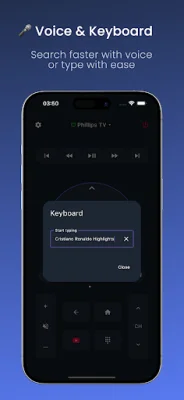
TVee boasts a range of impressive features that make it the go-to choice for remote control needs. It works with all major Smart TV brands, including Philips, Sony, TCL, Hisense, Xiaomi, Panasonic, Sharp, Toshiba, Skyworth, Haier, OnePlus TV, Roku TV, Fire TV, and Chromecast devices. The app also offers voice control, allowing you to easily find your favorite movies, shows, or apps with just a tap of the mic icon. You can also use the built-in keyboard to type text or perform searches directly from your smartphone.
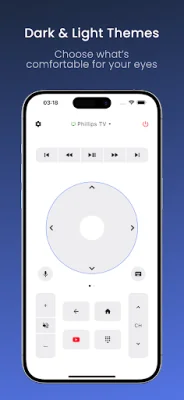
With TVee, you have full control over your TV's channels and volume, with the ability to adjust sound, mute, or switch channels in seconds. The app also features a navigation pad, giving you a full directional pad for precise control, just like a real remote. You can even launch your favorite apps, such as YouTube, Netflix, Disney+, and Prime Video, instantly with hotkeys and app shortcuts. And for added convenience, TVee allows you to power your Smart TV on or off straight from your phone.
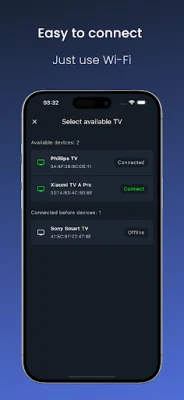
TVee is designed to be user-friendly and hassle-free. It automatically detects all Smart TVs on your Wi-Fi network, and you can easily reconnect to your last used TV with a single tap. The app is also completely free, with no ads or subscriptions, and offers a clean interface without any pop-ups or distractions. It works with Android TV, Google TV, and most modern Smart TVs, and is constantly updated with new features and multi-language support.
To connect to your TV, simply make sure your phone and TV are on the same Wi-Fi network, open TVee, and wait a few seconds until your TV appears. Then, tap to connect, and you're ready to enjoy instant remote control access. No pairing codes or manual setup required. TVee truly stands out as a smart TV remote control app for all Android and Google TVs, replacing all your remotes with just one app. It's free to use, with no hidden payments or ads, and offers a smooth connection, intuitive navigation, and modern design.
However, if you encounter any issues, TVee offers some helpful tips and troubleshooting advice. Make sure your TV and phone are on the same Wi-Fi network, and if your TV doesn't appear automatically, try restarting both devices. The app is compatible with Android 6.0 and above and works with a wide range of Smart TV brands, including Philips, Sony, TCL, Hisense, Xiaomi, Panasonic, Sharp, Toshiba, Haier, Skyworth, Roku TV, Fire TV, OnePlus TV, and Chromecast.
It's important to note that TVee is an independent application and is not affiliated with any of the brands mentioned above. All product names, logos, and trademarks are the property of their respective owners and are used solely for identification purposes. With TVee, controlling your TV has never been easier, faster, or more convenient. Say goodbye to juggling multiple remotes and hello to the simplicity and efficiency of TVee – the ultimate Smart TV remote control app.
Rate the App




Popular Apps









