
Seacoast Mobile Banking
5.9.08 by SeacoastBank (0 Reviews) September 09, 2024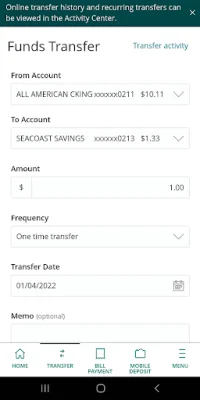
Latest Version
5.9.08
September 09, 2024
SeacoastBank
Finance
Android
0
Free
com.seacoastnationalbank4298.mobile
Report a Problem
More About Seacoast Mobile Banking
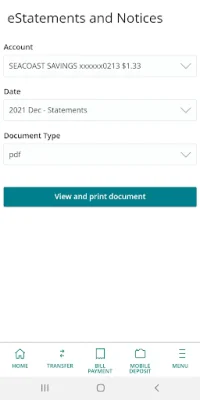
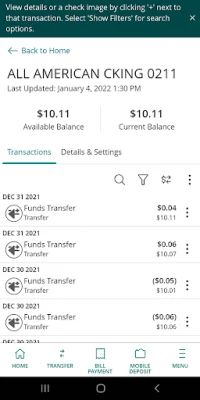
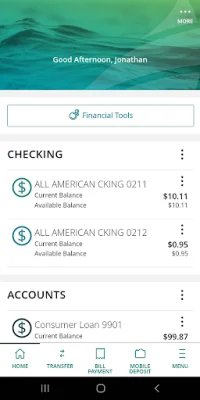
Seacoast Bank offers a convenient and secure way to manage your accounts through their mobile banking app. With this app, you can easily check your account balance, search transaction history, view mortgage and loan balances, and even reorder checks. This allows you to stay on top of your finances and make sure everything is in order.
The app also allows you to make payments and transfer money with ease. You can schedule, cancel, and edit bill payments, transfer funds to other accounts owned by you or to another Seacoast customer, and even send wire transfers. The app also offers the option to securely send and receive money with Zelle®, making it easy to split bills or pay back friends and family. You can also make loan and mortgage payments through the app, making it a one-stop-shop for all your banking needs.
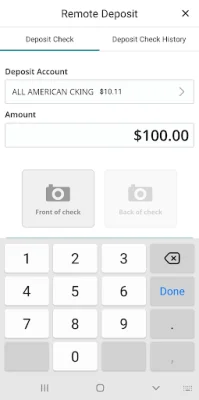
Banking on the go has never been easier with Seacoast's mobile app. You can make mobile deposits, open additional accounts, and even apply for a consumer loan all from the convenience of your phone. This allows you to manage your finances on the go and not be tied down to a physical branch.
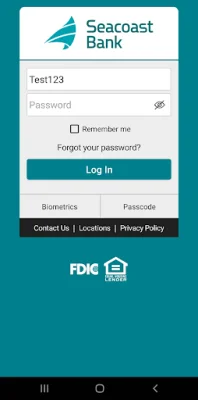
Seacoast also prioritizes the security of your finances. The app allows you to set up account and fraud alerts, adjust your preferences, submit stop payments on checks, and even lock your debit card. You can also use Touch and Face ID to log in, adding an extra layer of security to your account.
The app also offers features for business treasury management customers, such as reviewing and approving wire and ACH transactions, managing users and entitlements, and more. And for those who prefer to connect with Seacoast directly, the app allows you to contact the bank, send and receive secure messages, and find branch and ATM locations.
It is important to note that the use of Seacoast Mobile Banking requires enrollment in Online Banking and that message and data rates from your carrier may apply. The app is also subject to market conditions, so availability and response time may vary. Seacoast Bank is an Equal Housing Lender and Member FDIC. By clicking "install," you agree to the terms and conditions set by Seacoast Bank and understand that the app and any future updates will perform the functions described at the bank's sole discretion. It is also recommended to use caution when using Zelle for high-risk transactions or with individuals you do not personally know, as payments cannot be cancelled once authorized. Zelle® and the related marks are owned by Early Warning Services, LLC and used under license by Seacoast Bank®.
Rate the App










Popular Apps









