
Secure Folder
by PLAYits (0 Reviews) May 07, 2026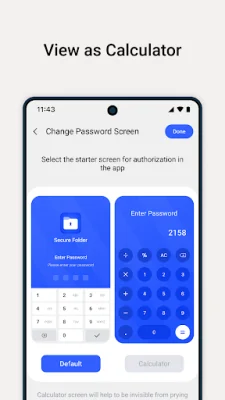
Latest Version
May 07, 2026
PLAYits
Tools
Android
0
Free
com.safevaultapp.privatevault
Report a Problem
More About Secure Folder
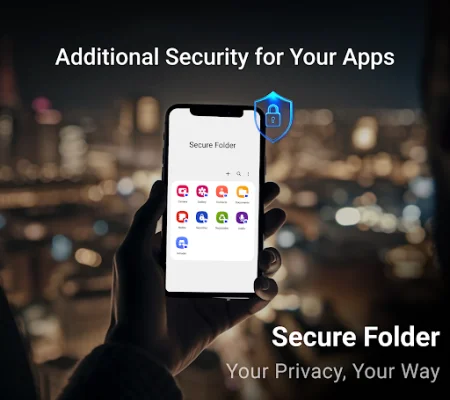
Secure Folder is an easy-to-use privacy app that helps protect your sensitive data. It offers powerful features to lock away your private images, important documents, and confidential notes behind a secure lock screen. With Secure Folder, you can have peace of mind knowing that your personal information is safe and secure.
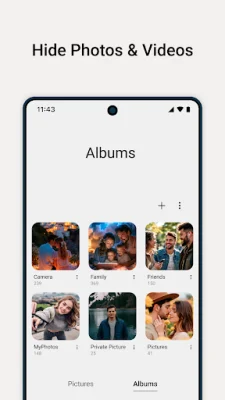
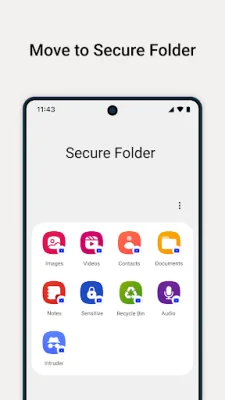
One of the main features of Secure Folder is the ability to hide photos and videos from your gallery and file manager. This ensures that your personal media remains private and cannot be accessed by anyone without your permission. Additionally, you can also lock documents such as Word, PDF, and Excel with encryption-level protection, making them inaccessible to unauthorized users.
Secure Folder also allows you to store sensitive contacts and personal notes in a secure vault. This ensures that your private information remains confidential and cannot be accessed by anyone else. You can also use the app to hide and manage your private voice notes or recordings safely.
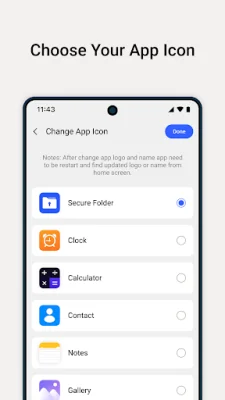
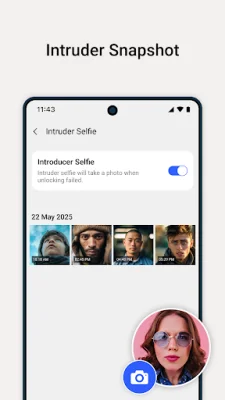
In case you accidentally delete any files, Secure Folder offers recycle bin support, allowing you to easily recover them. The app also has an intruder selfie feature that captures photos of anyone who tries to break into your vault with the wrong password. You can also disguise the app with a different icon from a predefined selection, making it blend in with other apps on your device.
Secure Folder offers two lock screen styles – PIN or Calculator lock – to suit your personal security preference. It also supports fingerprint unlock (if your device has this feature), allowing you to quickly access your vault with fingerprint authentication. The app is designed to be lightweight and battery-friendly, ensuring that it doesn't drain your device's battery.
One of the main reasons to choose Secure Folder is its commitment to privacy. The app does not collect or store any personal data, ensuring 100% privacy for its users. It also offers an ad-free option (if applicable) and regular updates with new features and improvements. The user-friendly design and clean interface make it easy to use for anyone.
It's important to note that you should back up your data before uninstalling the app, as files hidden in Secure Folder may be lost if the app is uninstalled without restoring them first. For the best protection, it's recommended to enable fingerprint unlock (if supported by your device). And finally, Secure Folder does not upload any data to the cloud – everything remains on your device, giving you full control over your privacy. Download Secure Folder today and take control of your privacy by keeping your personal data safe from snoopers.
Rate the App















Popular Apps









