

Touch of Remote - WiFi Mouse
by Helionys (0 Reviews) May 07, 2026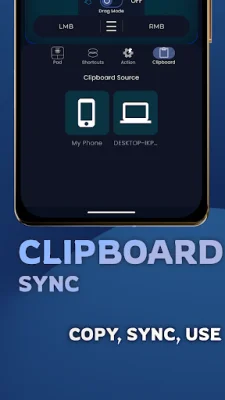
Latest Version
May 07, 2026
Helionys
Tools
Android
0
Free
com.helionys.touch_of_remote
Report a Problem
More About Touch of Remote - WiFi Mouse
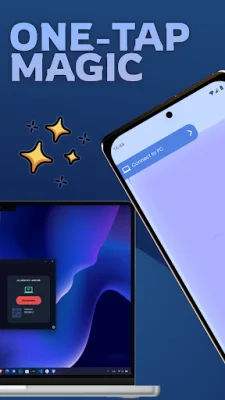
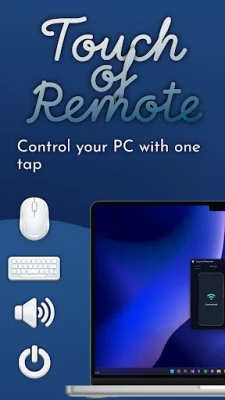
Touch of Remote is an application that allows you to control your PC remotely with ease and speed. It goes beyond basic remote apps by offering custom automation and one-tap actions. With this app, you can have full control of your PC from anywhere on the same network, making it convenient and efficient.
The app offers a variety of features to enhance your remote control experience. You can use your mobile keyboard or PC-style keys for remote keyboard input, and control your PC's mouse with smooth cursor movement. You can also perform actions such as scrolling, dragging, clicking, double-clicking, and holding. This makes it easy to navigate and use your PC remotely.
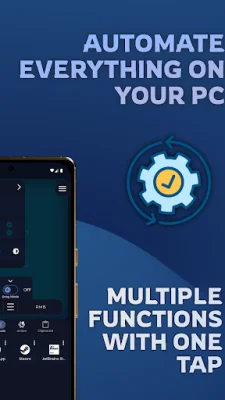
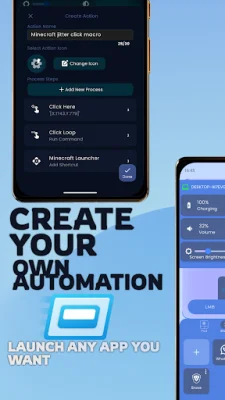
In addition to remote control, Touch of Remote also offers automation and actions. You can open applications instantly, execute key combinations and shortcuts, and perform single or multiple actions with just one tap. This can save you time and effort, especially for repetitive tasks. You can also insert predefined text automatically, making it even more convenient to use.
The app also has a quick app launcher feature, allowing you to search for and launch any application installed on your PC remotely. This can be useful for accessing frequently used apps or for quick remote actions. You can also control your PC's volume using your phone, making it easy to adjust the volume without having to physically access your computer.
Touch of Remote also offers clipboard sync, allowing you to access and manage your PC's clipboard. You can copy text from your PC to your mobile device and vice versa, making it easy to transfer information between devices. The app also has gyroscope control, which allows you to control your PC's mouse with device motion. This feature has adjustable sensitivity for natural and precise movement.
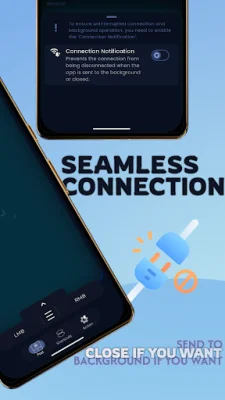
The app also has a background connection feature, ensuring that you stay connected even when the app is in the background. This provides a stable and continuous connection, making your remote control experience seamless. Touch of Remote is perfect for everyday PC control, productivity workflows, quick remote actions, and for users who value speed and simplicity.
With Touch of Remote, you can easily connect to your PC over WiFi without any complex setup. The app offers a fast and responsive experience, making it a convenient and efficient tool for remote control and automation. You can download Touch of Remote for your Windows desktop application and turn your phone into a powerful PC remote and automation tool. Please note that Windows may flag the app as a potential virus during its initial startup, but this is a false positive and the app is completely safe to use. Try Touch of Remote today and experience a smarter way to control and automate your PC.
Rate the App













Popular Apps









