
Signal Strength
28.0.7 by Lakshman (0 Reviews) October 14, 2024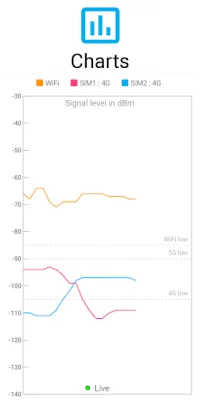

Latest Version
28.0.7
October 14, 2024
Lakshman
Tools
Android
0
Free
com.cls.networkwidget
Report a Problem
More About Signal Strength
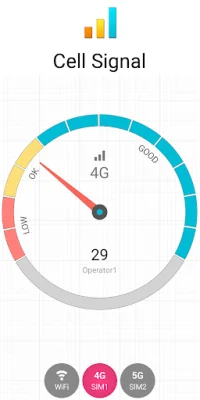
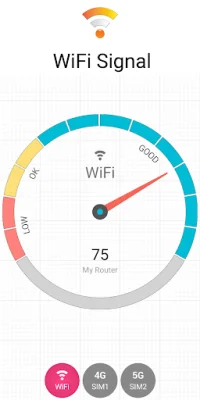
If you're constantly questioning whether or not your internet is actually connected, or if your 5G connection is truly connected to 5G, then this app is perfect for you. It allows you to easily check the strength of your cellular and WiFi signals, giving you a better understanding of which areas in your home or office have the best reception.
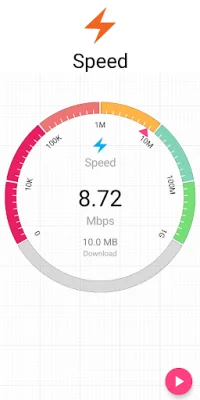
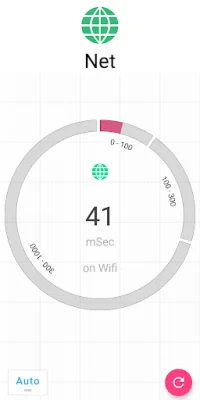
For general users, this app offers a variety of features including a signal meter for 2G, 3G, 4G, 5G, and WiFi, signal charts with a logger, a connectivity check, speed test, and WiFi scan. Additionally, the app offers home screen signal widgets that display signal strength, connectivity/latency, network, battery, clock, and storage (available as a Pro feature). It also provides signal notifications in the status bar for Pro users.
For more advanced users, the app offers even more detailed information such as RF dBm, channel, bandwidth, linkspeed, and frequency. It also provides network statistics, cell tower information, and alerts for out of service, low signal, and roaming.
In order to display this signal information, the app requires certain permissions. These include phone permissions for accessing and displaying SIM, network, and phone state, as well as location permissions for displaying cellular and WiFi signal details. The app does not use location data, but the precise location permission is necessary for displaying this information. Additionally, for features such as signal widgets, notifications, logs, and alerts to work properly in the background, the app also requires background location access.
For those interested in upgrading to the Pro version, there are several in-app purchase options available. These include an ad-free experience, signal widgets (6 types), a connectivity widget (1 type), and signal notifications in the status bar.
It's important to note that some phones may not fully follow the signal reporting standard, especially when it comes to 5G or dual SIM capabilities. In these cases, the app offers the option to send a debug report via email in order to incorporate workarounds. Overall, this app is a useful tool for anyone looking to better understand and monitor their cellular and WiFi signal strength.
Rate the App












Popular Apps









