
Smart Meter Pro
2.1.3 by Smart Tools co. (0 Reviews) October 30, 2024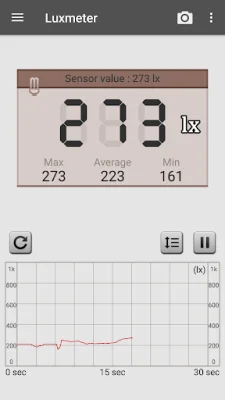
Latest Version
2.1.3
October 30, 2024
Smart Tools co.
Tools
Android
0
$3.50
kr.aboy.meter
Report a Problem
More About Smart Meter Pro
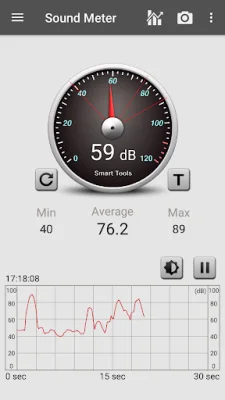
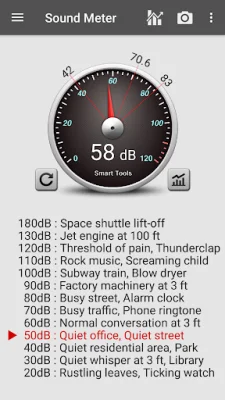
The Sound Meter application is a useful tool that utilizes your device's microphone to measure the volume of noise in decibels (db). It also provides a reference for comparison. It is important to note that most microphones are designed to pick up human voices, so the maximum value that can be measured is limited by the manufacturer. This means that very loud sounds, such as those above 90 dB, may not be accurately recognized. However, the results can be trusted for routine noise levels between 40-70 dB.
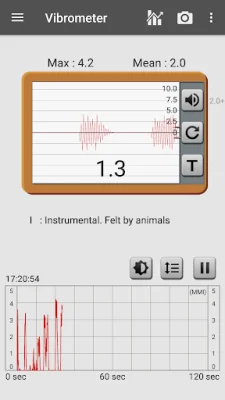
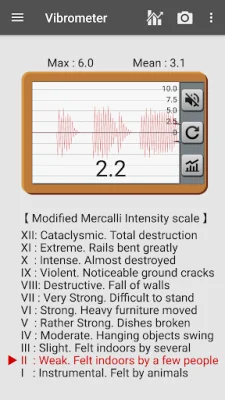
The Vibration Meter, also known as a seismograph, uses the device's acceleration sensors to measure vibrations or earthquakes. It provides a reference for comparison and the measured values are related to the Modified Mercalli Intensity scale (MMI). If the results are inaccurate, the user can calibrate the meter so that the maximum value is around 10-11. It is recommended to use this tool as an auxiliary tool.
The Lux Meter is a light meter that measures the ambient brightness using the device's embedded light sensor. It can be used to adjust lighting for plants or to check the brightness of a study room. It is important to ensure that the screen with the sensor is facing the ambient light source, such as a lamp, LED lighting, window, or the sun.
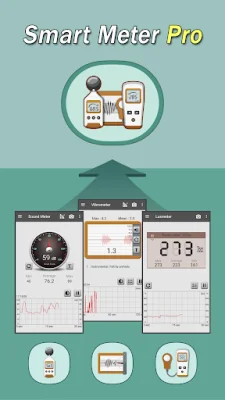
The Pro version of the app offers additional features such as no ads, integration of all three tools, a statistic menu with a line chart, and the ability to export data as a CSV file for up to 48 hours. For more information, users can watch a YouTube video or visit the blog. The app is a one-time payment and will not charge any additional fees.
The app also offers offline support, meaning it can be used without an internet connection. After installation, it is recommended to open the app 1-2 times while connected to Wi-Fi or 3G/4G to ensure proper functioning. Overall, the Sound Meter application is a useful and convenient tool for measuring noise, vibrations, and light levels.
Rate the App









Popular Apps









