
Smart Remote for Roku TV
by Smart Remote Labs (0 Reviews) April 20, 2026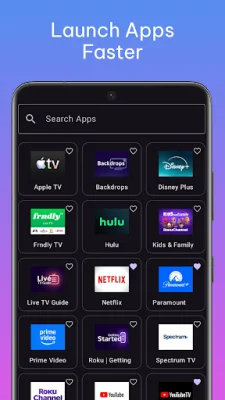
Latest Version
April 20, 2026
Smart Remote Labs
Tools
Android
0
Free
com.smartremotelabs.smartremoteforroku
Report a Problem
More About Smart Remote for Roku TV
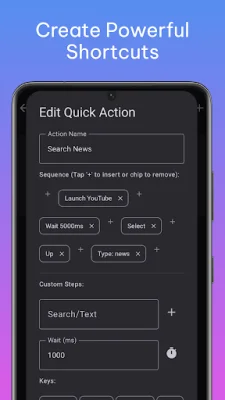
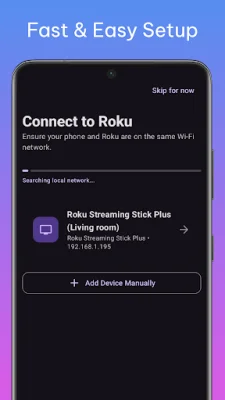
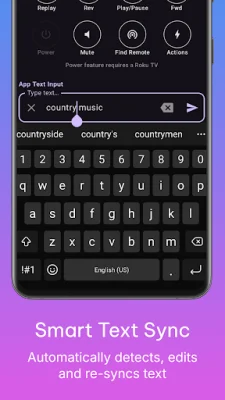
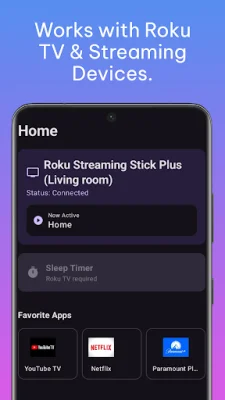
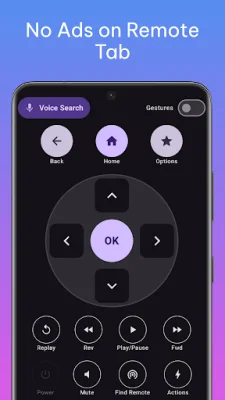
This application allows you to use your phone as a remote for your Roku device. It promises to be fast, reliable, and intelligent, with instant WiFi connection, smooth typing, and powerful one-tap automation. It is designed specifically for modern Android devices, ensuring speed and stability. The app has an instant device discovery feature, which automatically detects Roku TVs and streaming devices on your WiFi network. It also allows you to quickly reconnect to your last connected device and monitors the real-time connection status. The setup process is simple and hassle-free, allowing you to connect and control your Roku device without any complications. The remote control experience is designed to be distraction-free, with no ads on the remote screen while you navigate. You can choose between a classic D-Pad or a smooth gesture touchpad for navigation. The app also allows you to use your phone's physical buttons for power, mute, and volume control. You can also control playback functions such as play/pause, rewind, fast forward, and instant replay. Additionally, the app supports finding your lost physical remote for supported models and provides premium haptic feedback for a more immersive experience. One of the advanced features of this app is the smart keyboard sync, which allows you to type on your phone and see it sync smoothly to your TV. It also has intelligent text difference detection to avoid any "ghost characters" and a manual "send to TV" option for long text and passwords. The app also offers search history suggestions and built-in voice search for convenience. The app also has a feature called Apps & Quick Actions (Macros), which allows you to do more than just press buttons. You can view and launch installed apps instantly, create custom quick actions, and automate multiple steps with just one tap. For example, you can launch YouTube, wait, search, and play with just one tap, saving you time and effort. Other features of the app include a smart sleep timer, which allows you to set your TV to power off automatically using presets or custom timers, and a home screen widget for easy access to power, volume, and navigation controls without opening the app. The app also supports multiple languages, automatically adjusting to English or Spanish based on your device settings. The PRO version of the app, which is available for a one-time purchase of $2.99, removes all ads and provides unlimited keyboard usage, unlimited quick actions (macros), and access to the home screen widget. There are no subscriptions required to use this app. It works with Roku TVs and Roku streaming devices connected to the same WiFi network. Please note that this app is not affiliated with or endorsed by Roku, Inc. It aims to be original and SEO-oriented.
Rate the App








Popular Apps









