Smart Switch: Phone Clone App
by Kazmi Tech Solutions (0 Reviews) December 08, 2025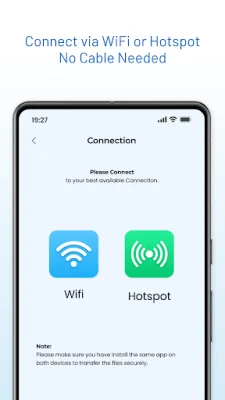
Latest Version
December 08, 2025
Kazmi Tech Solutions
Tools
Android
0
Free
com.skaaeapps.phoneclone.data.transfer
Report a Problem
More About Smart Switch: Phone Clone App
This smart transfer tool is designed to make the process of switching to a new phone, backing up data, and sending large files quick and easy. It ensures a smooth and lightning-fast migration experience for users. The app offers a variety of features that make it stand out from other transfer tools in the market.
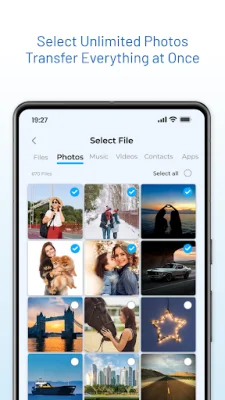
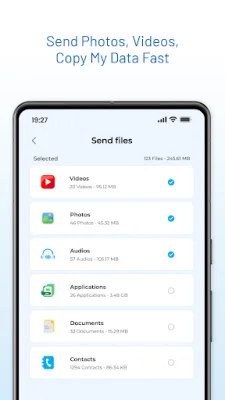
One of the main reasons to choose this smart switch phone clone app is its ability to transfer data in just a few minutes. Users can copy apps, contacts, SMS, photos, videos, and files instantly. This makes it a convenient option for those who are short on time and need to transfer data quickly.
The app also offers fast data transfer using WiFi Direct or Hotspot. This allows users to move photos, videos, music, documents, and more at high speed. It is compatible with all Android devices, including popular brands like Samsung, Xiaomi, Oppo, Vivo, Google Pixel, and Realme. The direct encrypted connection ensures that files stay private and secure between the two connected phones.
Users can transfer a variety of data using this app, including apps, games, photos, videos, music, contacts, call logs, documents, PDFs, and downloads. It offers a full file transfer between two phones, making it a one-stop solution for all data transfer needs. The app also ensures that the data remains organized and safe during the transfer process.
This smart switch app is a secure and private option for transferring data. Unlike cloud backups or Bluetooth, it uses WiFi Direct or Hotspot, ensuring that the data never leaves the devices. This not only ensures maximum privacy but also results in faster transfer speeds. The app is a better alternative to old-school transfer methods like Bluetooth and is easier to use than other popular transfer apps like ShareIt and Nearby Share.
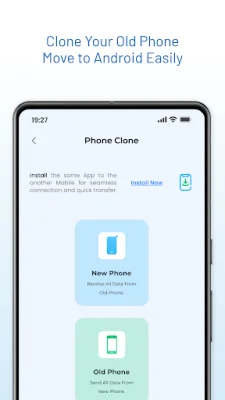
The app can be used in various scenarios, such as moving to a new Android phone, backing up data, sending large files quickly, cloning apps and contacts to a new device, and sharing files offline. It is a versatile tool that can cater to different data transfer needs. With its user-friendly interface and efficient transfer process, it is a better option than traditional transfer methods that involve cables and are prone to errors. To transfer data, users simply need to install the app on both phones, select the old phone and new phone, choose what to transfer, and tap once to clone everything securely. This makes switching phones a stress-free and simple process.
Rate the App














Popular Apps









