

SMS Auto Forwarder & Messaging
10.34 by TechInnate Solutions (0 Reviews) November 26, 2025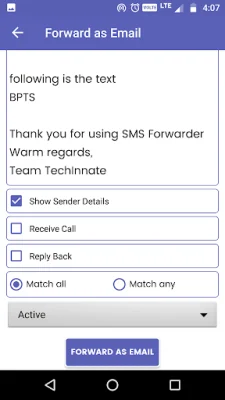
Latest Version
10.34
November 26, 2025
TechInnate Solutions
Tools
Android
0
Free
com.techinnate.android.smsforwarder
Report a Problem
More About SMS Auto Forwarder & Messaging
SMS Forwarder is a messaging app that offers advanced automation tools and replaces your default messaging app. It is perfect for managing multiple phone numbers, running a small business, or having more control over your text messages. With features like auto-forwarding, scheduled messaging, and SMS blocking, SMS Forwarder provides everything you need for efficient and organized communication.
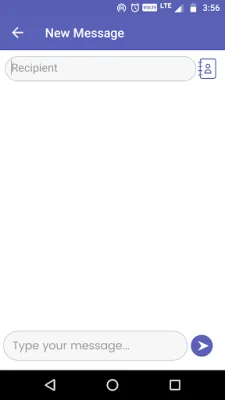
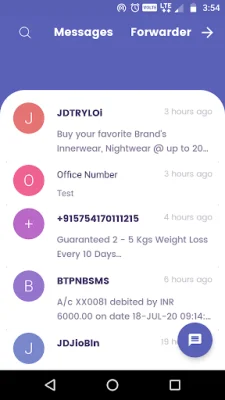
As an all-in-one SMS and MMS manager, SMS Forwarder allows you to set it as your default messaging app for a clean and seamless experience. It includes all essential messaging features such as sending and receiving SMS and MMS, pinning important chats, marking messages as unread, and archiving conversations. You can also block unwanted numbers and support group conversations, making it a comprehensive messaging solution.
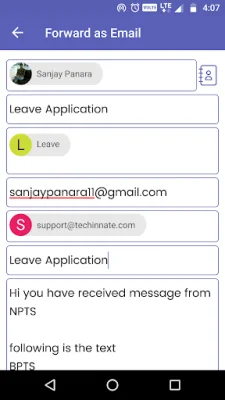
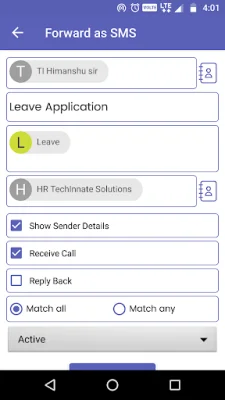
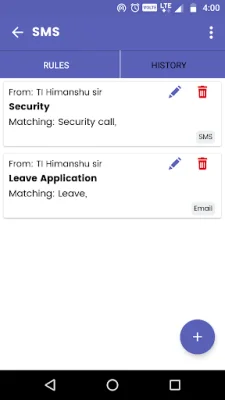
One of the standout features of SMS Forwarder is its powerful and flexible SMS forwarding capabilities. You can automatically forward incoming SMS to any phone number, making it perfect for business alerts and team communication. You can also customize forwarding rules by filtering by sender or keywords and choosing whether to match any or all keywords. This feature is also useful for dual SIM users who need to manage work and personal numbers.
SMS Forwarder also offers scheduled SMS forwarding, allowing you to automate reminders, timed alerts, and periodic updates. This feature is perfect for busy individuals who need to stay on top of their messages without having to manually forward them.
In addition to its advanced features, SMS Forwarder also prioritizes privacy and security. All messages are processed locally on your device, and no data is stored on third-party servers. The app is also lightweight, fast, and efficient, making it suitable for all devices, including entry-level Android phones.
If you're wondering how to use the SMS Forwarder feature, it's simple. Just tap the Forwarder button on the right side of the screen toolbar and click the plus (+) icon to add a new rule. From there, you can customize the rule by adding a specific sender or keywords and choosing the match type. You can also enable options like showing sender details, receiving calls, and replying back. Once the rule is active, the app will automatically forward incoming SMS that match the rule to the specified number.
SMS Forwarder is perfect for users looking for a reliable and efficient messaging app with advanced features like auto-forwarding, scheduled messaging, and dual SIM selection. It is also ideal for those who value privacy and security, as all data is processed locally on the device. However, users should be cautious when installing the app if someone else has requested it, as they may be a fraud. The app requires certain permissions to function, such as reading and sending SMS, accessing contacts, and using Wi-Fi and network connections for automatic redirection. But rest assured, the app does not save any data on a server and will be deleted completely when uninstalled.
Rate the App















Popular Apps









