

SMS Backup & Restore
10.20.002 by SyncTech Pty Ltd (0 Reviews) July 26, 2024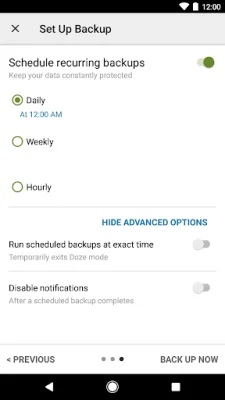
Latest Version
10.20.002
July 26, 2024
SyncTech Pty Ltd
Tools
Android
0
Free
com.riteshsahu.SMSBackupRestore
Report a Problem
More About SMS Backup & Restore
This app is designed to help users backup and restore their call logs and messages. However, it is important to note that the app requires existing backups in order to restore any data. Without existing backups, the app will not be able to recover any information.
If you have any questions or encounter any issues while using the app, you can visit the FAQ section on our website at https://synctech.com.au/sms-faqs/.
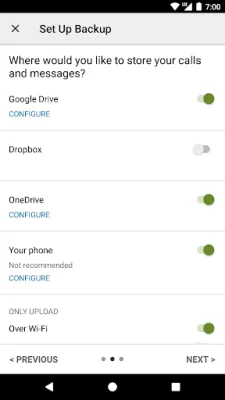
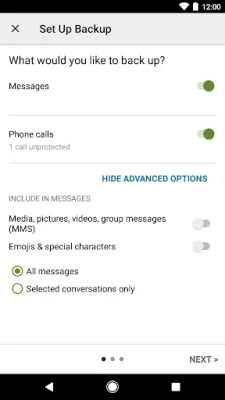
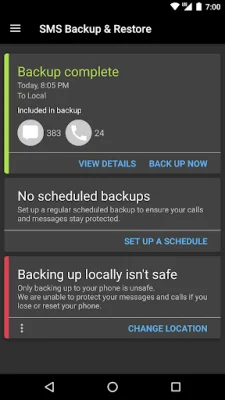
The app offers various features such as the ability to backup SMS, MMS, and call logs in XML format. Users can also choose to backup their data locally on their device and automatically upload it to Google Drive, Dropbox, or OneDrive. There is also an option to schedule recurring backups at a specific time.
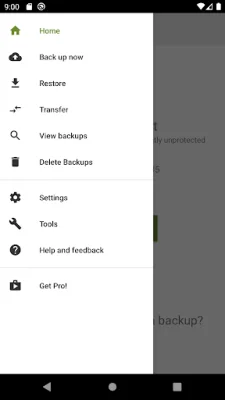
Users have the option to select which conversations they want to backup or restore. They can also view and access their local and cloud backups, as well as search for specific backups. The app also allows for easy transfer of backups to another phone, regardless of the Android version.
In addition, the app offers the ability to free up space on your phone by deleting all SMS messages or call logs. Users can also email a backup file and view it on a computer using the online viewer at https://SyncTech.com.au/view-backup/.
It is important to note that the app has been tested on Android 5.0 and higher and can only restore backups created by this specific app. The backup is created locally on the phone by default, but users have the option to upload it to a cloud storage service or email it. The app does not send any files to the developer at any time. However, it is recommended to have a copy of the backup outside of the phone before performing a factory reset.
In order for the app to function properly, it requires access to certain permissions on your device. These include access to your messages, calls and contact information, storage, network, social information, and account information. These permissions are necessary for the app to backup and restore data, as well as connect to wifi for backups and authenticate with cloud storage services. The app also requires access to your location during WiFi direct transfer for security purposes.
Rate the App















Popular Apps









