
SMS Forwarder
7.06.23 by zerogic (0 Reviews) July 29, 2024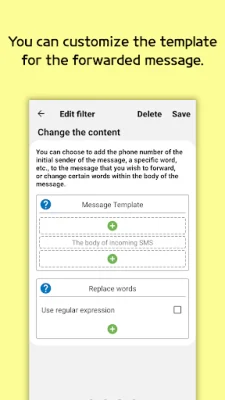
Latest Version
7.06.23
July 29, 2024
zerogic
Tools
Android
0
Free
com.frzinapps.smsforward
Report a Problem
More About SMS Forwarder
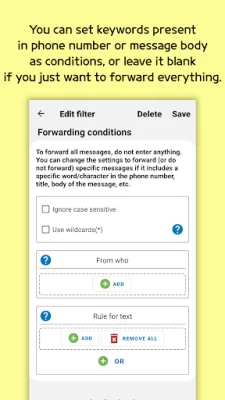
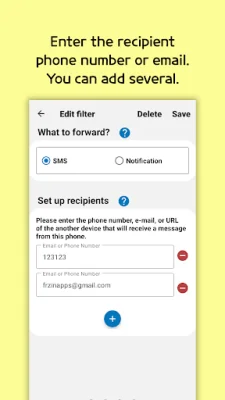
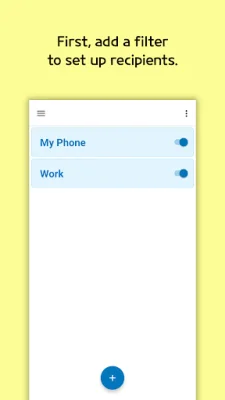
This application is a cautionary tool that warns users to be careful when installing the app if someone else has requested it. This is because the person requesting the installation may be a fraud. To use the app, users must first add a filter to set up recipients. This can be done by entering the recipient's phone number, email, URL, Telegram, or Push Service ID. Multiple recipients can be added. Users also have the option to set keywords as conditions for the filter or leave it blank to forward all messages. Additionally, users can customize the template for the forwarded message.
The app has several features, including the ability to forward SMS or notifications to email, phone, URL, Telegram, or Push Service. Filters can also be added to various options. The app supports Gmail and SMTP, as well as dual SIM settings and the ability to set operation times. Users can also backup and restore their filters. However, it is important to note that this app does not have the capability to retrieve messages from devices that do not have the app installed.
When using the app, users will be prompted to grant certain permissions. These permissions are only requested when using a specific function. The requested permissions include RECEIVE_SMS, RECEIVE_MMS, READ_SMS, and SEND_SMS, which are necessary for reading and sending SMS. The app also requires the READ_CONTACTS permission to access the user's Gmail account and read their contact's name.
In terms of privacy, the app requires permission to read and send SMS. However, it does not save any SMS or contacts on a server. When the app is deleted, all data will be deleted unconditionally. It is important to note that users should delete their push service account from the app before deleting the app. This app prioritizes user privacy and security.
Rate the App















Popular Apps









