

Snapmaker
2.3.3 by Shenzhen Snapmaker Technologies Co., Ltd. (0 Reviews) May 18, 2026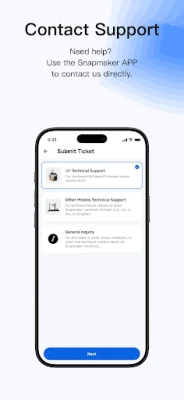
Latest Version
2.3.3
May 18, 2026
Shenzhen Snapmaker Technologies Co., Ltd.
Tools
Android
0
Free
com.snapmaker.lavaapp
Report a Problem
More About Snapmaker
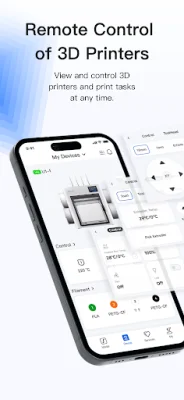
The Remote Printer Control application allows users to easily monitor and control their 3D printer and print jobs from anywhere, at any time. With this app, users can remotely access and manage their printer, making it convenient and efficient to keep track of their printing progress and make adjustments as needed. This feature is especially useful for those who have multiple printers or are constantly on the go.
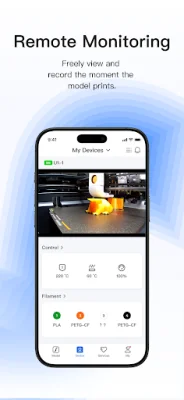
One of the key features of this app is the Remote Monitoring function, which allows users to watch and capture every moment of their printing process in real time. This provides a sense of security and peace of mind, as users can keep an eye on their printer even when they are not physically present. This feature is also helpful for troubleshooting any issues that may arise during the printing process.
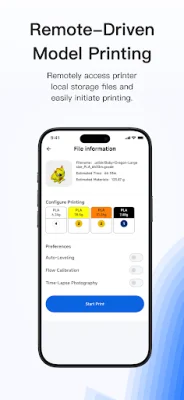
In addition to monitoring, the app also offers Remote Printing capabilities. This means that users can access and print files stored locally on their printer with just a tap on their mobile device. This eliminates the need for transferring files or being physically present to start a print job, making the printing process more convenient and efficient.
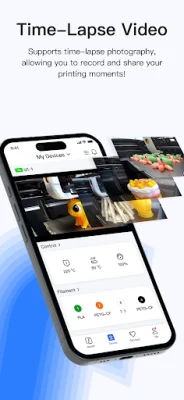
The Time-Lapse Recording feature allows users to create time-lapse videos of their printing process, which can be shared with others. This is a fun and creative way to document and showcase the progress of a print job, and can also be used for educational or promotional purposes.
The app also includes a Knowledge Base section, where users can browse tutorials and troubleshooting guides at any time. This provides a helpful resource for users to learn more about their printer and how to troubleshoot any issues that may arise. And if users still need assistance, they can easily contact support directly through the app. The team at Snapmaker is dedicated to providing excellent customer service and is always ready to assist users with any questions or concerns.
At Snapmaker, user feedback and ideas are highly valued, and the company is committed to growing and improving alongside its users. To learn more about the app and its features, visit www.snapmaker.com. The app is designed to be user-friendly and SEO-oriented, ensuring a seamless and efficient experience for all users.
Rate the App














Popular Apps









