

신한 SOL저축은행 - 신한저축은행 디지털뱅크
2.1.7 by 신한저축 (0 Reviews) August 16, 2024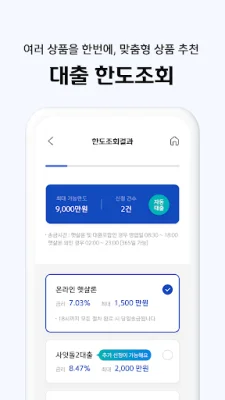
Latest Version
2.1.7
August 16, 2024
신한저축
Finance
Android
0
Free
com.shinhan.spbs
Report a Problem
More About 신한 SOL저축은행 - 신한저축은행 디지털뱅크
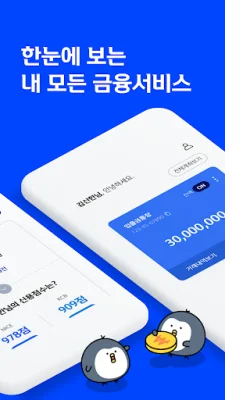
The 'Shinhan Savings Bank Smartphone Banking' app and 'Shinhan Savings Bank Mobile Loans' app have been combined into one. You can now use all services such as deposits, savings, and loans in one place. You can check the main services of the app in the app information.
If the app does not update or install, please try deleting the data and cache in "Settings > Applications > Google Play Store > Storage" and try again. If the app does not run, please install and run the "V3 Mobile Plus" app from Google Play Store and try again.
Meet the newly revamped Shinhan Savings Bank app, 'Shinhan SOL Savings Bank'! You can use all services of Shinhan Savings Bank, including deposits, savings, and loans.
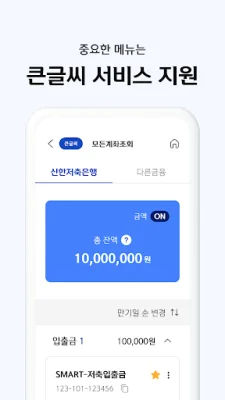
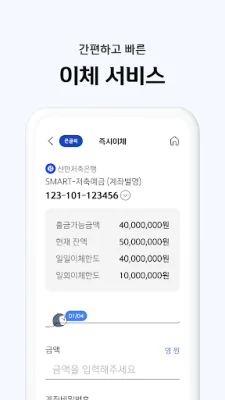
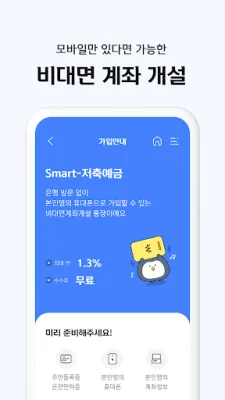
● Introduction to the main services of the app Customized home screen for you - You can check your balance and make transfer transactions for deposits, savings, and withdrawals. - We provide personalized information for customers using loans. Inquiry/Transfer/Banking Services - You can easily transfer without any fees with just a few clicks. - You can easily and quickly sign up for savings products. - You can see all transaction history of products offered by Shinhan Savings Bank at a glance. - You can receive certificates without visiting a branch. Integrated Limit Inquiry/Continuing Loans - You can check your loan limit 24/7, anywhere, anytime. - We recommend customized loan products for multiple products at once. - If you have stopped the loan process, you can continue from where you left off. Loan Customer Support - You can use services such as checking loan accounts, repaying loans, and issuing certificates. Product Disclosure - Check out Shinhan Savings Bank's deposit and loan products.
● Customer Service Operating Hours Inquiries about deposits/savings, reporting accidents, etc.: 1644-7777 (Weekdays 08:30~17:30) Loan inquiries: 1800-3651 (Weekdays 09:00~18:00)
● Permission and Purpose Information for App Usage Phone (required): Used to check phone information and status, and for automatic connection when touching phone numbers. Storage (required): Used for joint authentication login/issuance/copying, file attachment and storage, etc. App Usage Information (required): Used to detect apps that may pose a threat to prevent financial accidents. Camera (optional): Used for taking photos of identification cards and submitting documents for non-face-to-face identity verification.
● Third-Party Consent for Voice Phishing Prevention and Financial Fraud Prevention (required) Analyzes various types of risk information detected on mobile phones for the purpose of preventing financial fraud. *Required access permissions are necessary when using Shinhan Savings Bank services, and optional access permissions can be denied and still use the services. *You can set access permissions in "Settings > Applications > Shinhan Savings Bank > Permissions".
Rate the App















Popular Apps









