

Sony | Headphones Connect
by Sony Corporation (0 Reviews) July 28, 2024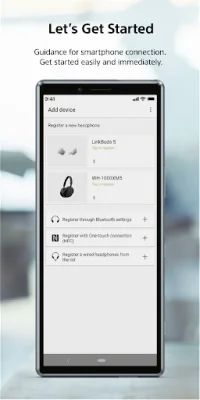
Latest Version
July 28, 2024
Sony Corporation
Tools
Android
0
Free
com.sony.songpal.mdr
Report a Problem
More About Sony | Headphones Connect
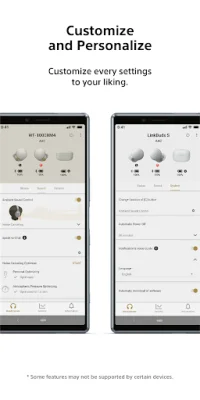
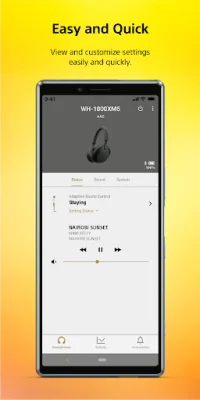
Everyday music becomes even more enjoyable with easy controls. You can quickly connect to a smartphone by following a guide, making it easy to use even for first-time users. The main feature of this application is the "software update" that enhances the performance of your headphones. Additionally, the "Equalizer" feature allows you to customize the sound quality to your liking. With "Ambient Sound Control," you can easily change noise cancellation and ambient sound mode settings. This feature is especially useful for those who frequently switch between different environments.
The "Adaptive Sound Control" feature uses location information to detect your actions and frequently visited locations, automatically adjusting headphone settings such as ambient sound levels. This personalized function also allows you to experience 360 Reality Audio with a spatial sound field. The "Activity" feature records and reviews your headphone usage statistics, providing valuable insights.
In order to stay updated with additional features, updates, and important news, notifications will be sent to your smartphone. However, please ensure that your notification settings are turned on. For first-time users, there is an easy "Connection guide" available. You can also access the Help menu for your headphones and the app directly.
It is important to note that some features may be limited to compatible devices. Please visit the website provided for a list of compatible Sony products. Additionally, the app is only available on Android OS 9.0 or later, starting with version 9.4. Some features may not be supported by certain devices, so it is recommended to check the website for details. Furthermore, certain functions and services may not be available in all regions or countries.
Lastly, it is crucial to keep the Sony | Headphones Connect app updated to the latest version to ensure optimal performance. The app is compatible with Bluetooth® devices, and their use by Sony Corporation is under license from Bluetooth SIG, Inc. Other system names, product names, and service names mentioned in the app may be registered trademarks or trademarks of their respective manufacturers. Please note that Chromebooks are not compatible with this app.
Rate the App















Popular Apps









