

Speech Assistant AAC
6.5.51 by A-Soft-nl (0 Reviews) December 19, 2025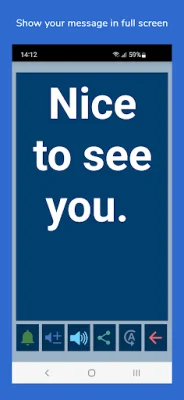
Latest Version
6.5.51
December 19, 2025
A-Soft-nl
Communication
Android
0
Free
nl.asoft.speechassistant
Report a Problem
More About Speech Assistant AAC
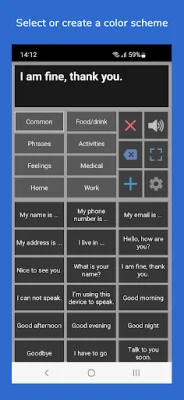
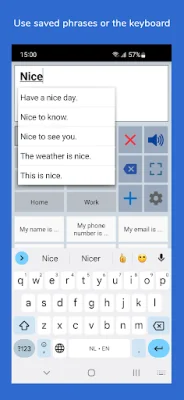
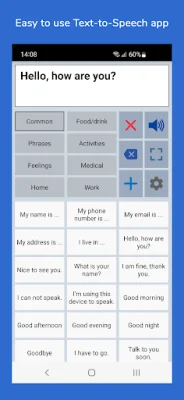
The app is a customizable tool that allows users to create categories and phrases, which can then be placed on buttons for easy access. These buttons can be used to create messages that can be shown or spoken through text-to-speech technology. Users also have the option to type their own text using the keyboard.
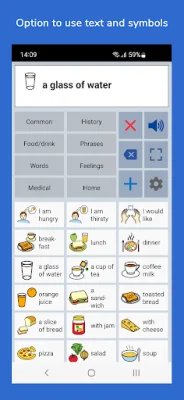
The app offers a variety of key features, including the ability to customize it to fit individual needs and preferences. Users can organize their phrases into categories for quick access and can also access a history of previously typed phrases. The app also allows users to select photos or symbols to be displayed on the buttons, as well as record their own speech or use a text-to-speech voice. A full screen button is available for displaying messages with a larger font, and an auto-complete feature makes it easy to find phrases quickly. The app is designed for both smartphones and tablets, with options for portrait and landscape layouts. Users can also backup their data to Mail or Google Drive.
One of the main features of the app is the ability to create and customize categories and phrases. Users can add, change, or delete their own categories and phrases, and can also create categories to organize their phrases for easy access. The app also offers a long press option for easily editing the phrase and category buttons, as well as a backup and restore feature for saving and transferring data.
The app is fully customizable, allowing users to adjust the size of buttons, text boxes, and text. It also offers various color schemes and the option to create a personal color scheme. Users can even assign different colors to individual buttons with phrases.
The full screen feature allows users to display their message with a large font, making it useful for communicating in noisy environments. There is also a button for rotating the text to show the message to someone sitting across from the user.
Other features of the app include the ability to share messages through email, text, and social media, as well as the option to connect a Bluetooth keyboard and create shortcuts for certain functions. The app also offers an undo option in case of accidental tapping, and an attention sound button for both the main and full screen modes.
The app utilizes the voice installed on the user's device, such as those from 'Speech Services by Google'. Users can change the selected voice in the app's voice settings, and can also download additional voices from the Google Play Store if needed.
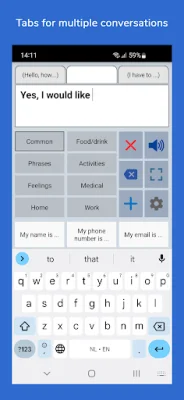
The basic version of the app is free, but users can upgrade to the full version for a one-time payment. This includes features such as unlimited categories, backup and restore options, the ability to select symbols from a set of 3400 Mulberry Symbols, and the option to create user profiles for different languages, situations, or persons. The full version also offers tabs for easy switching between multiple conversations and the ability to record speech onto a button or import voice recordings into the app.
The app does not require an internet connection and a user manual can be found on the developer's website. For feedback or questions, users can contact the developer via email.
Rate the App















Popular Apps









