

Switch Access
1.14.0.543553192 by Google LLC (0 Reviews) July 27, 2024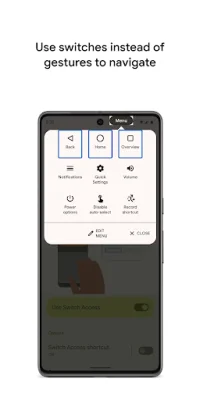
Latest Version
1.14.0.543553192
July 27, 2024
Google LLC
Tools
Android
0
Free
com.google.android.accessibility.switchaccess
Report a Problem
More About Switch Access
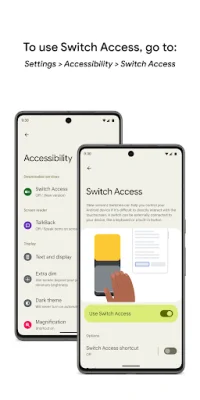
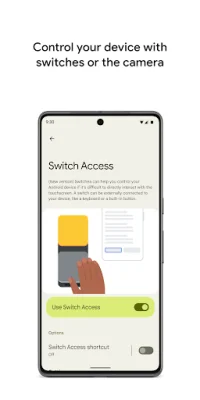
Switch Access is an application that allows you to interact with your Android device using switches instead of the touchscreen. This can be especially helpful for individuals who are unable to use the touchscreen directly. To use Switch Access, you will need to open your device's Settings app and navigate to the Accessibility section, where you can then enable the Switch Access feature.
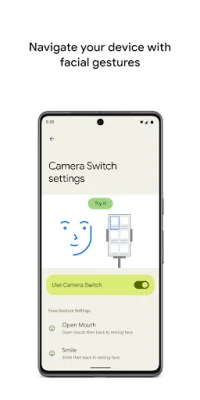
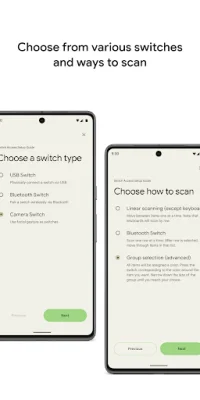
Once you have enabled Switch Access, you can set up a switch to use with the application. There are a few different types of switches that you can choose from, including physical switches such as USB or Bluetooth switches, or on-device switches like volume buttons. You can also use camera switches, which allow you to use facial gestures such as smiling or raising your eyebrows to interact with your device.
After setting up a switch, you can scan your device and interact with items on the screen. There are different scanning options available, including linear scanning, row-column scanning, point scanning, and group selection. These options allow you to navigate through items on the screen and make selections using your switch.
In addition to scanning, you can also use menus to interact with items on the screen. These menus offer a variety of options such as selecting, scrolling, copying, pasting, and more. There is also a menu at the top of the screen that allows you to navigate your device, such as opening notifications, going to the home screen, and adjusting the volume.
Switch Access also offers the option to use camera switches for navigation. This allows you to use facial gestures to browse and select apps on your device using the front camera. You can customize the sensitivity and duration of each gesture to better suit your needs.
Another useful feature of Switch Access is the ability to record touch gestures and assign them to a switch or start them from a menu. This allows you to perform frequent or complex actions with a single switch, such as recording a gesture that swipes left twice to turn two pages of an ebook.
It is important to note that Switch Access requires certain permissions in order to function properly. This includes the Accessibility Service permission, which allows the app to observe your actions, retrieve window content, and observe text that you type. This is necessary for the app to function as an accessibility service.
Rate the App















Popular Apps









