
Text Expander - Type
by plantcode (0 Reviews) March 25, 2026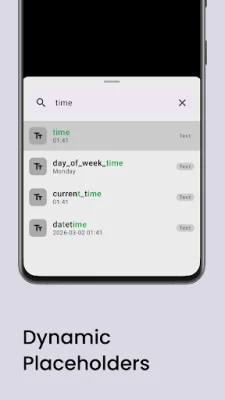
Latest Version
March 25, 2026
plantcode
Tools
Android
0
Free
com.coco.typeaction
Report a Problem
More About Text Expander - Type
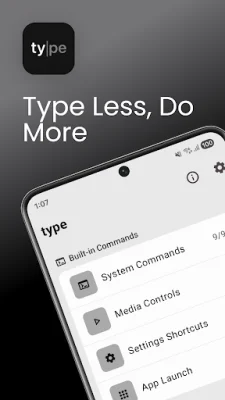
Type is an application that allows you to create shortcuts for commonly used phrases, templates, and snippets. These shortcuts can be used in any app without having to switch your keyboard. It also has additional features such as a command palette, calculator, media controls, and system commands, making it a versatile tool for Android users.
With Type, you no longer have to type out the same phrases over and over again. You can create short keywords that will automatically expand into longer phrases, saving you time and effort. These shortcuts work in all apps, including messaging, email, notes, and browsers, without the need to switch your keyboard. It uses an Accessibility Service, so there is no need to change your keyboard.
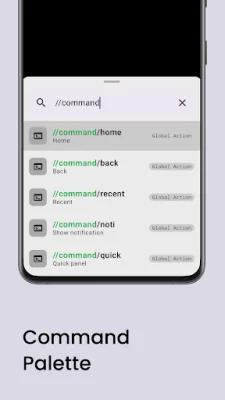
But Type is more than just a text expander. It also has a built-in Command Palette, similar to Raycast or Spotlight on iOS, which allows you to access various features and commands quickly. This includes a calculator, media controls, and system commands, making it a powerful tool for Android users.
In addition to text expansion, Type also offers smart snippets and templates. You can save frequently used text as reusable snippets and organize them into folders and categories. You can even nest snippets inside other snippets for even more efficiency. There is also a quick search feature to easily find and insert any snippet. Plus, you can import and export your snippets for backup and sharing.
Type also offers dynamic placeholders and modifiers, such as {date} and {time} for current date and time with custom formats, {clipboard} for auto-pasting clipboard contents, and {uuid} for generating unique IDs. You can also use modifier chaining to transform text, such as {clipboard | trim | uppercase}.
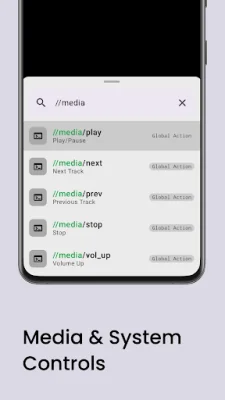
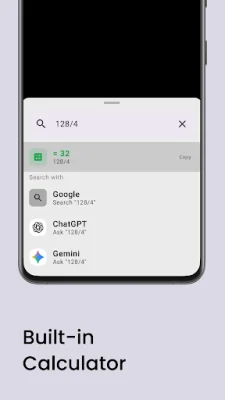
The killer feature of Type is its Command Palette, which can be accessed by pressing Ctrl+Space on a Bluetooth keyboard or using the floating button. This serves as a universal launcher for various features, including a built-in calculator with unit conversions and media controls for playing, skipping, and adjusting volume. It also has system commands for tasks like going to the home screen or enabling dark mode.
Type is suitable for a wide range of users, including iPhone to Android switchers who miss the text replacement feature on iOS, customer support agents who need quick reply templates, business professionals who frequently use email signatures and canned responses, developers who need code snippets and boilerplate, and power typers who want to save time and effort.
It is important to note that Type uses Android's Accessibility Service for certain functions, such as detecting text input fields, reading typed text, and performing gestures. However, it does not collect, store, or share any personal data, record or monitor activities, or access content unrelated to text replacement. All data is processed locally on the device and can be manually backed up through import/export.
Privacy is a top priority for Type, with all data stored locally on the device and no data collection or tracking. It also has a clean and modern Material Design UI for a user-friendly experience. With Type, you can save time and effort on repetitive typing and focus on doing more with your device. Download Type now and let your keywords do the work for you.
Rate the App














Popular Apps









