
TV Cast for Chromecast
1.9.1 by BoostVision (0 Reviews) July 29, 2024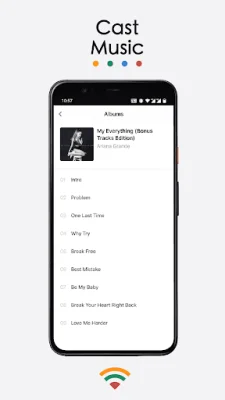

Latest Version
1.9.1
July 29, 2024
BoostVision
Tools
Android
0
Free
com.boost.chromecast
Report a Problem
More About TV Cast for Chromecast
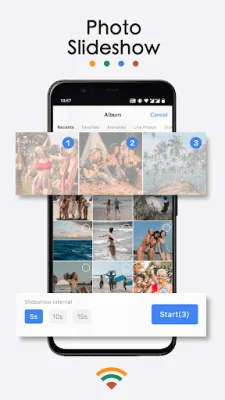
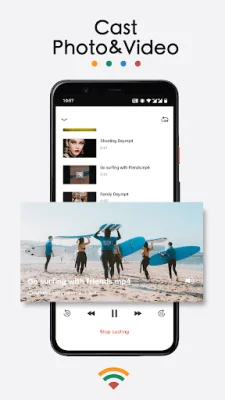
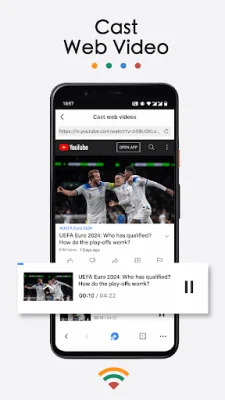
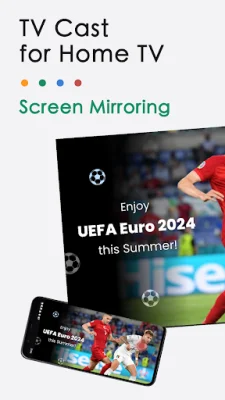
TV Cast is an app that allows users to connect their phone to their TV using Chromecast technology. This means that users can mirror their phone screen, cast videos, and stream web videos directly onto their TV. With this app, users can enjoy a bigger screen for their music, photos, and videos, as well as watch TV shows, live streams, and play games. The app also allows for remote control of the TV without the need for a physical smart remote control. Additionally, users can cast from their phone or tablet to their PC with the receiver app installed. This app is compatible with all Chromecast products, including Chromecast, Chromecast Audio, and Android TV & Google TV with Chromecast enabled. It is perfect for a variety of uses, such as making presentations, sharing fitness videos, playing games, watching online videos, and casting family photos at a party. It can also be used for educational purposes, such as casting teaching documents to students' computers. The app offers a variety of features, including screen mirroring, casting videos and photos from phone albums, casting web videos, and casting music from the phone's library. It also allows for casting from Dropbox and Google Photos, as well as casting local media files to a Mac or Windows PC. The app also functions as a universal remote control, allowing users to power off, fast forward, rewind, play, and pause their TV. To start screen mirroring, users simply need to connect their phone and TV to the same WIFI network, launch the app, and tap the "Screen Mirroring" button. To cast to a Mac or Windows PC, users need to install the app on their phone or tablet and download the screen cast receiver app on their computer. Then, they can connect their devices and choose the function they want to use. There are many other apps available for screen mirroring and casting, but TV Cast for Chromecast offers a user-friendly and efficient option. It is important to note that users must connect to their home TV before playing a video and ensure that their phone or tablet is on the same WIFI network as their TV or computer. If there are any issues with connecting, users can try restarting their router and TV. It is also important to note that Chromecast is a trademark of Google LLC and this app is not affiliated with Google. Users should also review the Terms of Use and Privacy Policy before using the app. For more information and to download the app, visit the TV Cast for Chromecast page on the BoostVision website.
Rate the App















Popular Apps









