TV Control for Roku TV
7.1 by Vulcan Labs (0 Reviews) July 27, 2024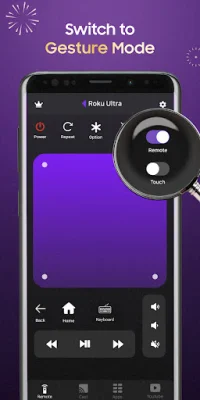
Latest Version
7.1
July 27, 2024
Vulcan Labs
Tools
Android
0
Free
co.vulcanlabs.rokuremote
Report a Problem
More About TV Control for Roku TV
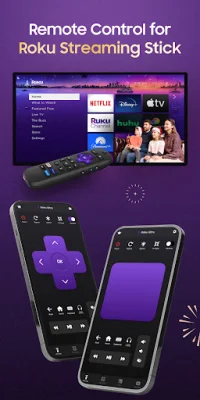
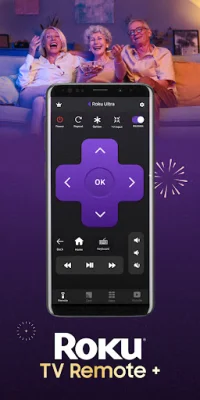
This Remote Control App is a convenient and user-friendly way to control your Roku TV. It allows you to access all the features of your TV's remote controller through your mobile device. With just a tap of a button on the dedicated "Cast" tab, you can easily share photos and videos from your gallery onto your TV in high-definition. The app also features a friendly keyboard for effortless searching.
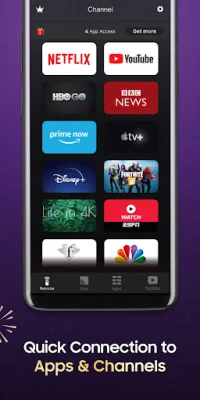
The "Channels" tab provides quick access to your favorite TV streaming media channels such as HBONow, Chill TLC, Shattered channel, YouTube, and Rookie. You can also use swipe-based gestures on your mobile device for easier navigation.
In addition to controlling your TV, this app also allows you to watch, cast to TV, and play games on your TV conveniently. Its intuitive remote control feature and SmartCast function make it a prime choice for Roku TV users.
To set up the app, simply connect both your mobile device and TV to the same WiFi network. Then, select your Roku TV in the app and allow access when prompted. It's a simple and quick process that gives you complete control over your TV.
Please note that this app cannot turn on your TV as it is not connected to WiFi when it is turned off. Therefore, it cannot accept commands from the app.
Before using the app, be sure to read and agree to the Terms of Use and Privacy Policy provided by Vulcan Labs, the developer of this app. It is important to note that this app is not affiliated with or endorsed by Roku Inc. It is not an official product of Roku Inc. or its affiliates.
Rate the App















Popular Apps









