TV Remote - Roku Remote
by FunShare Interactive (0 Reviews) March 20, 2026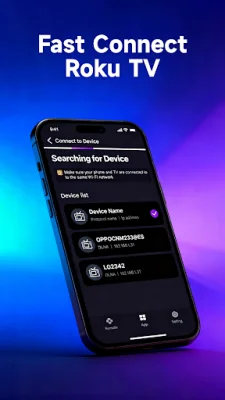
Latest Version
March 20, 2026
FunShare Interactive
Tools
Android
0
Free
com.gzfunshare.remotecontrol
Report a Problem
More About TV Remote - Roku Remote
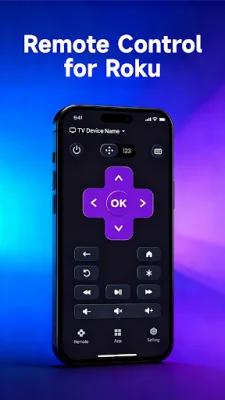
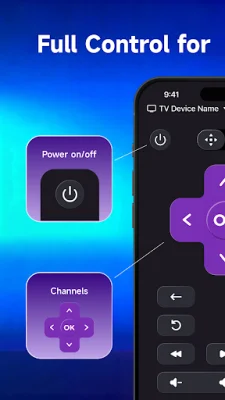
Experience effortless TV control with a modern, intuitive interface designed for speed and simplicity. This ultimate universal TV remote solution is perfect for those looking for a hassle-free way to control their TV. With standout features like instant auto-detection and setup, complete Roku remote functionality, a smart keyboard for lightning-fast typing, and quick launch shortcuts for favorite channels, this remote control app is a game-changer.
One of the standout features of this app is its instant auto-detection and setup. Gone are the days of complicated pairing processes. Simply connect your phone and Roku TV to the same Wi-Fi network, and the app will automatically discover your device within seconds. This means you can start controlling your TV immediately with this universal remote.
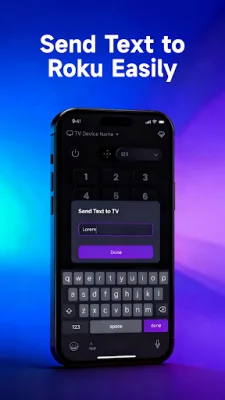
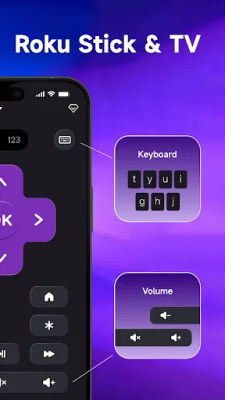
Not only does this app offer complete Roku remote functionality, but it also includes a smart keyboard for lightning-fast typing. No more hunting for letters with arrow buttons on a traditional remote. With the integrated keyboard, searching for movies, entering passwords, and typing show names is quick and easy. This makes finding your favorite content a breeze.
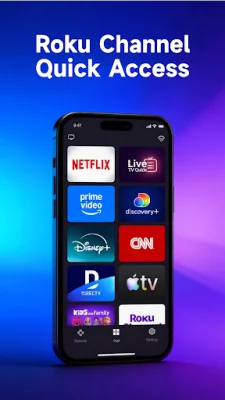
With one-tap shortcuts for popular channels like Netflix, Hulu, YouTube, and Disney+, this app makes it easier than ever to access your most-watched content. Say goodbye to scrolling through endless menus and hello to instant access with this Roku remote control.
This app is the perfect all-in-one solution for controlling your TV. It combines a full-featured Roku remote, universal remote control capabilities, media casting, and voice control in one powerful app. The clean, modern interface is designed for maximum usability, making TV control effortless. Plus, the app automatically reconnects to your Roku TV every time you open it, so there's no need for manual pairing.
To get started, simply connect your smartphone and Roku TV to the same Wi-Fi network, open the app, and let it automatically detect your device. Then, select your Roku TV, tap connect, and start controlling your TV instantly. If you encounter any issues, there are troubleshooting tips available, such as ensuring both devices are connected to the same Wi-Fi network and using a stable connection for optimal performance.
It's important to note that this universal remote control app is developed independently and is not an official product of Roku, Inc. It is not affiliated with, endorsed by, or connected to Roku or any Roku TV manufacturer. However, it is perfect for replacing lost or broken remotes, controlling multiple Roku TVs from one device, and providing a modern, convenient way to control your TV. Download the app now and transform your smartphone into the ultimate universal remote for TV.
Rate the App







Popular Apps









