

U-Token
3.1 by Union Bank of India (0 Reviews) August 20, 2024
Latest Version
3.1
August 20, 2024
Union Bank of India
Finance
Android
0
Free
com.iz.zmt
Report a Problem
More About U-Token
U-TOKEN is an application that generates one-time passwords (OTP) for Union Bank of India's Internet Banking portal. It requires an internet connection to function properly. The app is designed to provide an extra layer of security for login and transactions on the bank's website.
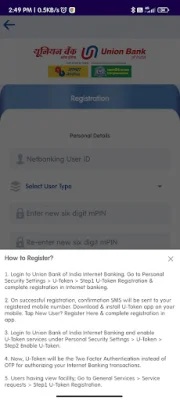
The registration process for U-TOKEN is simple and can be completed through the Union Bank of India Internet Banking portal. After logging in, users can go to the Personal Security Settings and select U-Token. They will then need to complete the registration process by following the steps provided.
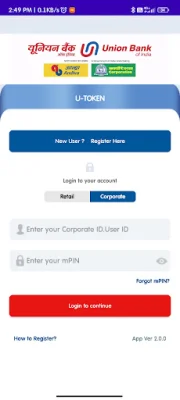
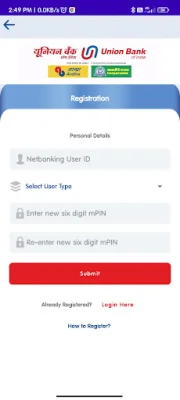
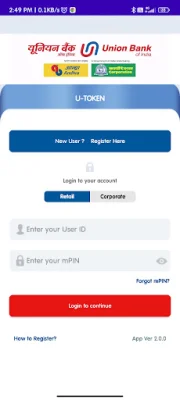
Once the registration is successful, a confirmation SMS will be sent to the user's registered mobile number. The next step is to download and install the U-TOKEN app on their mobile device. New users can register for the app by tapping on the "New User? Register Here" option and completing the registration process within the app.
After completing the registration on both the Internet Banking portal and the app, users can enable U-Token services under Personal Security Settings. This will make U-Token the primary method of two-factor authentication for authorizing Internet Banking transactions.
For users who only have view facility, there is an option to register for U-Token under General Services > Service requests. By downloading U-TOKEN, users can enjoy the convenience of using a hassle-free OTP service that is independent of mobile network service providers. This means they will no longer have to wait for undelivered OTPs through SMS, ensuring a smoother and faster transaction process. Please note that this service is currently only available for Internet Banking users.
If users have any questions or concerns, they can contact the U-TOKEN support team at [email protected]. The team encourages users to provide original and SEO-oriented feedback to help improve the app. Download Union Bank of India U-TOKEN now and experience a more secure and efficient way of banking online.
Rate the App












Popular Apps









