

UbikiTouch
1.16.3 by Toneiv Apps (0 Reviews) March 20, 2026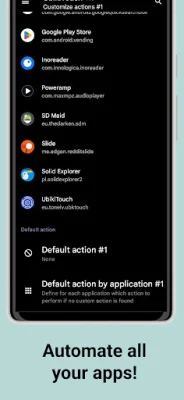
Latest Version
1.16.3
March 20, 2026
Toneiv Apps
Tools
Android
0
Free
eu.toneiv.ubktouch
Report a Problem
More About UbikiTouch
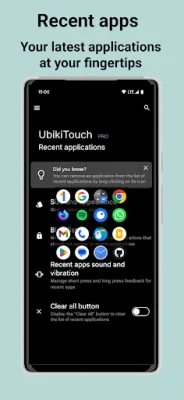
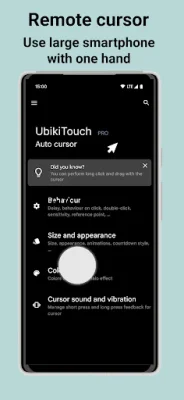
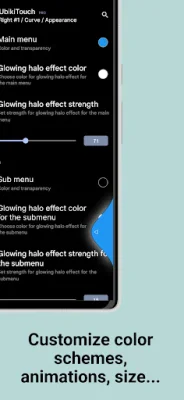
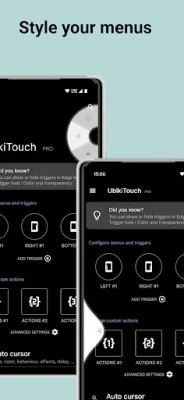
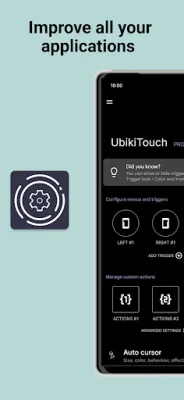
UbikiTouch is an innovative application that offers a variety of features to enhance your mobile experience. With this app, you can use gestures to navigate between or within your favorite apps, making it easier and more efficient to switch between tasks. Additionally, UbikiTouch allows you to automate repetitive tasks, saving you time and effort. One of the most unique aspects of UbikiTouch is its ability to customize actions for each of your favorite applications. This means that you can define specific actions for each screen of an app, such as pressing a button or making a swipe. You can even sequence actions to perform more complex tasks. This level of customization allows for a truly personalized experience. In addition to app-specific actions, UbikiTouch also offers global actions that can be used across all apps. These include common functions like back button, recent apps, and home, as well as more advanced actions like launching an application or shortcut. The full list of available actions can be found on the app's website. UbikiTouch is highly configurable, with the ability to set up to 15 independent triggers with custom place, size, and colors. You can also choose from four different menus - pie, curve, wave, and cursor - and customize them to fit your needs. And with no ads, you can enjoy a seamless and uninterrupted experience. For even more features and customization options, the Pro version of UbikiTouch offers the ability to define tasks for an unlimited number of applications, access to more actions, and the ability to launch an application or shortcut. It also includes a remote cursor, recent applications menu, and the ability to adjust volume and brightness with a slider. Privacy is a top priority for the developers of UbikiTouch. The app does not require internet authorization and does not send any data over the internet without your knowledge. You can consult the privacy policy for more information. To use UbikiTouch, you will need to enable its accessibility service. The app only uses this service to enable its functionality and will never collect or send data across the network. Some devices may require additional steps, such as adding UbikiTouch to the list of protected apps. If you have any questions or issues with the app, you can visit the FAQ page on the app's website or report issues on GitHub. With its unique features and customizable options, UbikiTouch is a must-have for anyone looking to enhance their mobile experience.
Rate the App














Popular Apps









