Universal TV Remote Control
by VENTION (0 Reviews) December 11, 2025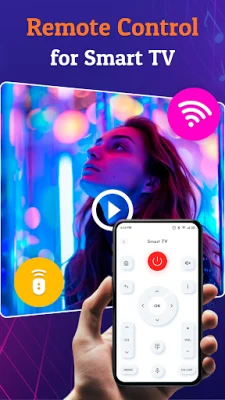
Latest Version
December 11, 2025
VENTION
Tools
Android
0
Free
com.universal.tvremote.screenmirror.android
Report a Problem
More About Universal TV Remote Control
If you're tired of constantly losing your TV remote or having to juggle multiple remotes for different devices, then Universal TV Remote Control is the perfect solution for you. This all-in-one TV remote app turns your smartphone into a powerful and easy-to-use remote for your Smart TV and other media devices. Say goodbye to searching for remotes or constantly replacing batteries, and say hello to a more convenient and streamlined TV viewing experience.
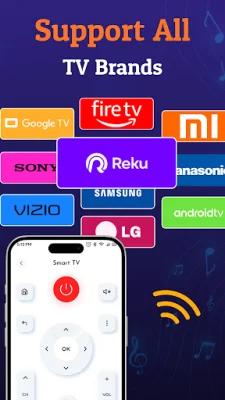
With Universal TV Remote Control, you can control your TV directly from your phone. It supports all major TV brands, including Samsung, LG, Sony, Roku, Vizio, TCL, Hisense, and more. It works with both IR (infrared) and Wi-Fi-enabled TVs, making it compatible with a wide range of devices.
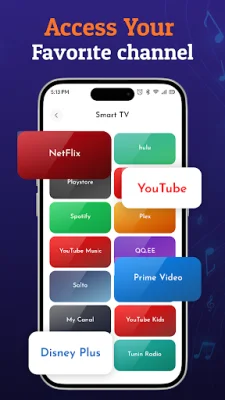
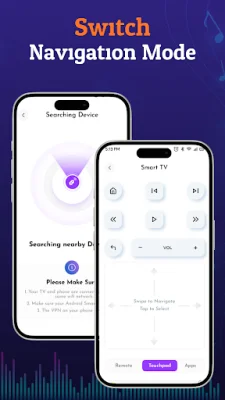
The app offers a variety of key features, including universal compatibility, smart TV control, easy setup and connection, a built-in touchpad and keyboard, customizable remote layouts, voice control, and no external hardware needed. You can quickly connect your smartphone to your TV using IR blaster or Wi-Fi, and the app will auto-detect nearby devices for hassle-free pairing. You can also use your phone as a wireless touchpad or keyboard for quick navigation and typing, and customize the remote layout to your liking.
Universal TV Remote Control also allows you to control multiple devices from a single app, making it perfect for families or households with multiple TVs. The app is lightweight, fast, and easy to use, with no registration or login required. It also offers regular updates and support for new devices, ensuring that you can continue to use it with all your home entertainment systems.
To use Universal TV Remote Control, simply open the app and choose your TV brand. Then, connect using IR (for older TVs) or Wi-Fi (for Smart TVs), and test and confirm remote functionality. Once connected, you can start controlling your TV right from your phone. Please note that for IR mode, your phone must have an infrared (IR) blaster, and for Wi-Fi, both your TV and phone must be connected to the same network.
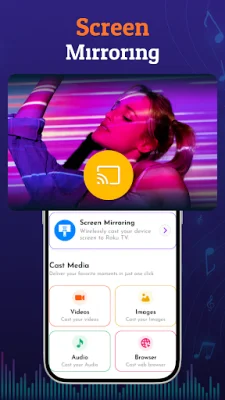
The app is compatible with a wide range of devices, including Smart TVs, Roku and Fire TV, Android TV boxes, set-top boxes, DVD/Blu-Ray players, streaming devices, and more. So why wait? Download Universal TV Remote Control today and take full control of your TV experience from the palm of your hand. Say goodbye to physical remotes and hello to a more convenient and hassle-free way of controlling your TV.
Rate the App


Popular Apps









