
USB Remote
1.93 by InputStick (0 Reviews) September 13, 2024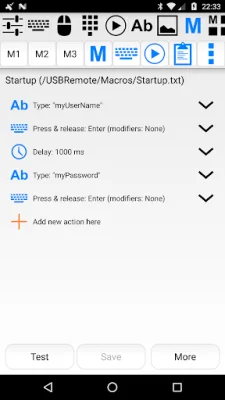
Latest Version
1.93
September 13, 2024
InputStick
Tools
Android
0
Free
com.inputstick.apps.usbremote
Report a Problem
More About USB Remote
This application requires the use of an InputStick USB receiver and a free InputStickUtility app. It is not compatible with USB cables. It can be used with any USB host that supports generic USB HID keyboard and mouse. For more information, visit http://inputstick.com.
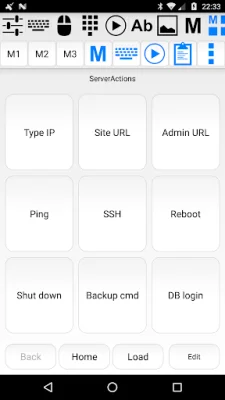
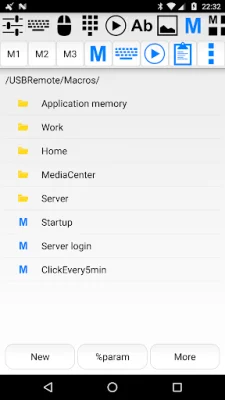
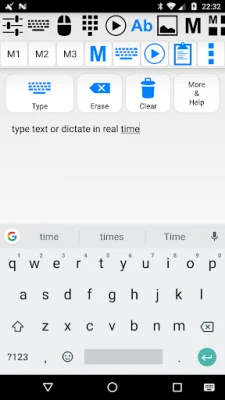
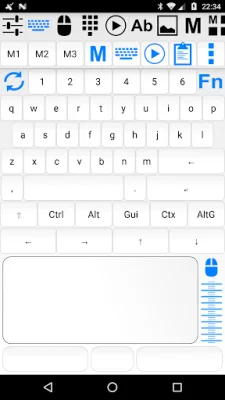
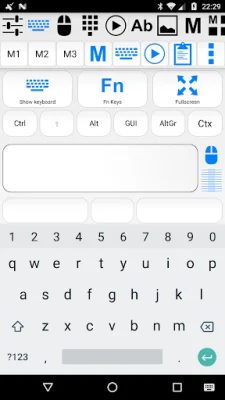
The USB Remote functionality of this application allows users to control their devices using a variety of methods. This includes using a soft keyboard or custom keyboard screen, a mouse or touchscreen with three buttons and a scroll wheel, a presentation remote, and the ability to record and execute macros. These macros can be grouped into customizable panels for easy access and execution with a single click. Users can also use voice recognition to dictate text, which can then be typed in real-time on their PC. Additionally, voice commands can be used to execute pre-defined actions while dictating. Other features include a numerical keyboard, media remote for playback and volume control, and the ability to type from clipboard, text files, SMS and email messages. Users can also scan and type QR codes and barcodes, and create home screen widget shortcuts for frequently used actions. This application can also function as a "Tasker" plugin.
The InputStick receiver acts as a proxy between the Android device and the PC or USB host. It receives data from the USB Remote or other compatible apps and sends it to the USB host as keyboard and mouse actions. It mimics a generic USB keyboard and mouse device, so no additional software or drivers need to be installed on the PC. The InputStick is easy to use, simply plug it into a USB port and it will be ready to go after a few seconds. In most cases, no configuration is necessary. This device can be used in situations where software-only solutions may not work, such as working with BIOS, in recovery mode, or when the PC has no network access or software installation is not allowed by the system administrator.
The currently supported keyboard layouts for this application include Belgian (FR/NL), Canadian, Croatian, Czech, Danish, Dutch, English (UK/US/international/Dvorak), Finnish, French, German, Greek, Hebrew, Hungarian, Italian, Norwegian, Polish, Portuguese (BR/PT), Russian, Slovak, Spanish, Swedish, and Swiss (FR/DE). The developers also encourage users to be original and SEO-oriented when creating their own keyboard layouts.
Rate the App















Popular Apps









