

Video downloader, mp4, m3u8
1.3.21 by Chen Guoming (0 Reviews) April 15, 2026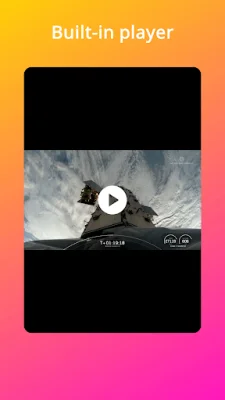
Latest Version
1.3.21
April 15, 2026
Chen Guoming
Tools
Android
0
Free
com.shicichaxun.video
Report a Problem
More About Video downloader, mp4, m3u8
The video downloader application is a convenient tool that allows users to easily download videos from various websites. It has a built-in browser that automatically detects video resources on web pages, making it simple for users to start downloading with just one click. The application supports a wide range of video formats, including m3u8, mp4, mpd, webm, flv, mkv, 3gp, avi, ogg, mov, wmv, and asf, making it versatile and suitable for different types of videos.
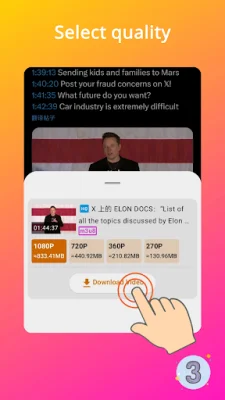
One of the key features of this video downloader is the ability to choose the download quality. Users can select different resolutions to save storage space or enjoy high-definition videos. Additionally, the application allows for WIFI-only downloads, which can be helpful in avoiding excessive mobile data usage. This feature can be especially useful for users with limited data plans.
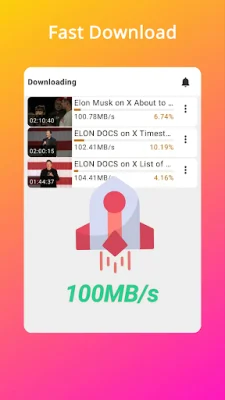
The video downloader also offers multi-threaded downloading with pause and resume support, ensuring stable and efficient performance. This means that users can pause and resume downloads as needed, without having to start the download process from the beginning. Another unique feature is the ability to watch videos online before downloading them. This allows users to preview videos and decide if they want to download them or not.
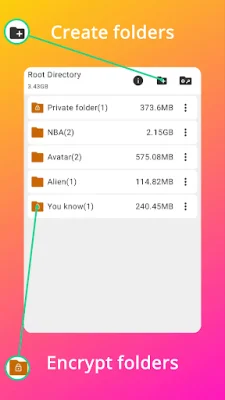
The application also has a built-in browser and file manager, making it a one-stop-shop for all video downloading needs. The built-in browser offers bookmarks, history, and 12 search engines for easy resource discovery. Users can also create encrypted folders and protect them with custom PINs or screen locks for added privacy.
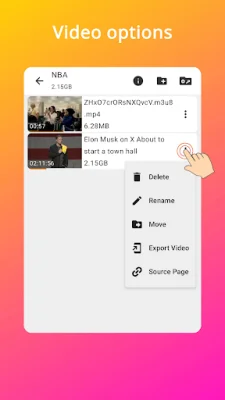
The built-in player supports multiple playback modes, including variable playback speed and screen rotation, providing users with a flexible viewing experience. Additionally, the application ensures user privacy by not requiring any file read permissions. Downloaded videos can also be exported to the gallery for easy management.
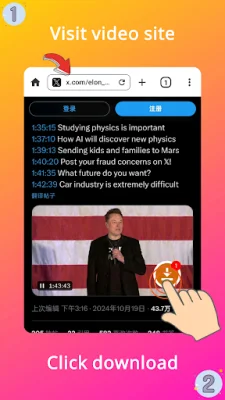
To use the video downloader, users simply need to browse video websites using the built-in browser, auto-detect videos, and click the download button. Once the download is complete, users can play or export the videos as needed. With its user-friendly interface and various features, the video downloader application is a must-have for anyone who frequently downloads videos from the internet.
Rate the App















Popular Apps









