
Virtual Android -Android Clone
1.4.1 by Parallel Space Technology Inc. (0 Reviews) August 09, 2024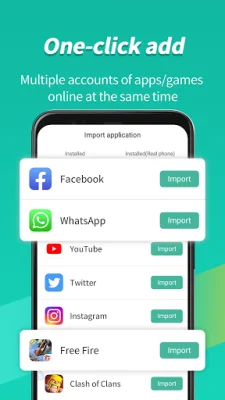
Latest Version
1.4.1
August 09, 2024
Parallel Space Technology Inc.
Tools
Android
0
Free
com.pspace.vandroid
Report a Problem
More About Virtual Android -Android Clone
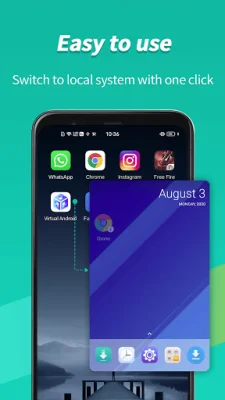
Virtual Android is an application that allows you to create a virtual partition on your mobile device and run a copy of Android in each parallel space. This means that you can essentially have two separate mobile phones on one device. With Virtual Android, you can easily switch between the local system and the virtual system with just one tap, making it convenient to access multiple accounts simultaneously. This includes social apps and games, such as WhatsApp, Sharechat, Snapchat, and FreeFire, among others.
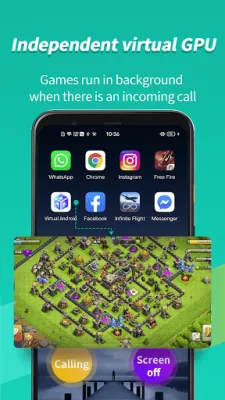
One of the key features of Virtual Android is its independent virtual GPU, which sets it apart from other virtual and clone apps. Each copy of Android running on your device has its own dedicated virtual GPU, ensuring that games and apps run seamlessly in the background. This means that you can play two FreeFire matches at the same time without any interruptions, even if you receive a call or need to attend to other tasks on your device. It's like having emulators such as Bluestacks and Nox on your phone, but with even better graphics.
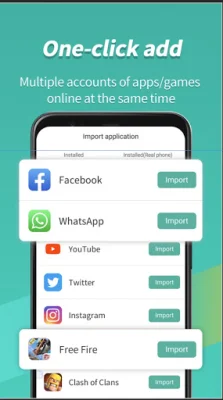
Another advantage of Virtual Android is that it allows you to have multiple copies of an app online simultaneously. This is especially useful for instant messenger apps, as you can have dual copies running at the same time. You can also have parallel copies of your favorite games, doubling your experience and enjoyment. Virtual Android supports all of this and more, making it a powerful and versatile tool for managing multiple accounts and apps on one device.
The developer has also provided a FAQ section to address common questions and concerns. Virtual Android requires about 600MB of ROM data and 2.5GB of disk space to run, and may use more space if apps are installed or upgraded. It is recommended to install Virtual Android as the device owner or administrator to ensure compatibility with all apps. If there are any download issues, restarting the app or updating Google Mobile Services components may help. If Virtual Android fails to boot, it may be due to a damaged system file, and reinstalling the app is recommended. Finally, if there are any network issues, changing the DNS to a different address may solve the problem.
Rate the App















Popular Apps









