

WG Tunnel
4.1.1 by Zane Schepke (0 Reviews) November 01, 2025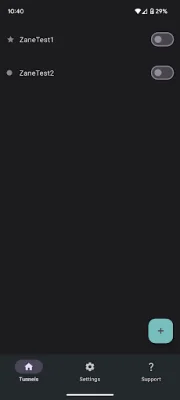
Latest Version
4.1.1
November 01, 2025
Zane Schepke
Tools
Android
0
Free
com.zaneschepke.wireguardautotunnel
Report a Problem
More About WG Tunnel
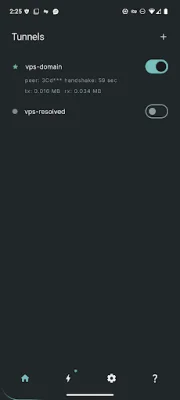
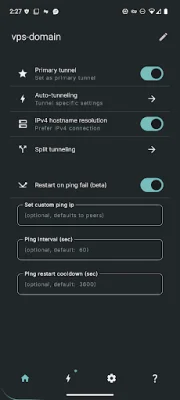
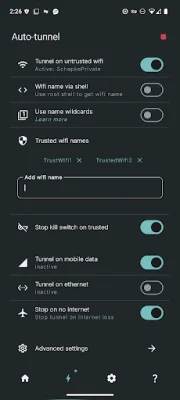
Auto-Tunneling is an application that automatically activates tunnels on your device based on your Wi-Fi SSID, Ethernet connections, or mobile data networks. This means that whenever you connect to a specific network, the app will automatically activate a tunnel to ensure your online activities are secure and private. This is especially useful for those who frequently switch between different networks and want to ensure their data is always protected.
Split Tunneling is another feature of Auto-Tunneling that allows for flexible support in routing specific apps or traffic through the VPN. This means that you can choose which apps or data you want to be routed through the VPN, giving you more control over your online privacy and security.
The app is fully compatible with WireGuard, a popular VPN protocol, in both kernel and userspace implementations. This ensures that your data is encrypted and secure while using the app.
AmneziaWG Integration is a feature that provides robust censorship evasion in userspace mode. This means that the app can help you bypass censorship and access restricted content, making it a great tool for those living in countries with strict internet regulations.
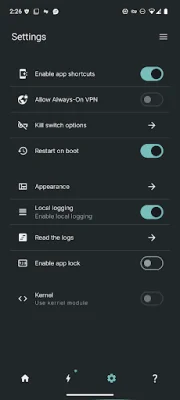
Auto-Tunneling also has an Always-On VPN feature, which ensures continuous protection for your device. This means that even if your connection drops, the app will automatically reconnect and keep your data secure. Additionally, the app offers quick controls through a Quick Settings tile and home screen shortcuts, making it easy to toggle the VPN on and off.
The app also supports automation through intent-based automation, allowing you to control tunnels with ease. It also has an auto-restore feature, which seamlessly restores auto-tunneling and active tunnels after device restarts or app updates.
Auto-Tunneling offers built-in HTTP and SOCKS5 proxy support within tunnels, giving you more options for secure browsing. It also has a Lockdown Mode, which acts as a custom kill switch to prevent any leaks and ensure maximum security.
The app also has advanced DNS handling, which detects and updates DNS changes without requiring a tunnel restart. This ensures a smooth and uninterrupted browsing experience.
For those using Android TV, Auto-Tunneling offers support for secure streaming and browsing. And for advanced users, the app also has DNS over HTTPS support for tunnel endpoint resolutions. Overall, Auto-Tunneling is a comprehensive and versatile VPN app that offers a wide range of features to ensure your online activities are always secure and private.
Rate the App











Popular Apps









