
WiFi File Transfer
3.6.8 by TECHPRD PTY LTD (0 Reviews) July 28, 2024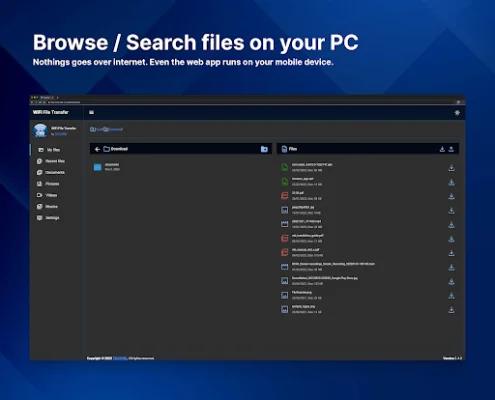
Latest Version
3.6.8
July 28, 2024
TECHPRD PTY LTD
Tools
Android
0
Free
com.techprd.filetransfer
Report a Problem
More About WiFi File Transfer
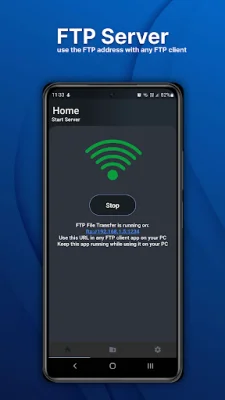
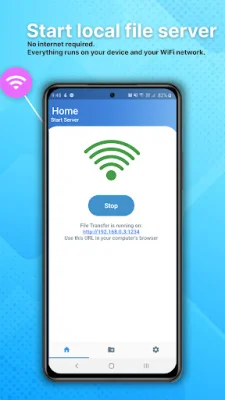
This application allows you to easily transfer files from your phone to your computer without the hassle of cables or wires. With just one click, you can start the app and wirelessly download your files to your computer. This makes it convenient and efficient for users who need to transfer large files quickly and easily.
Not only can you transfer files, but you can also view your pictures, watch videos, and listen to music on your computer or Smart TV. This feature allows for a seamless and enjoyable experience for users who want to access their media on a larger screen. Whether you want to show off your vacation photos or watch a movie with friends, this app makes it possible without any extra steps.
The app is user-friendly and easy to navigate, making it accessible for all types of users. With just a push of a button, you can start the app and begin transferring or viewing your files. This simplicity makes it a great option for those who are not tech-savvy or for those who want a quick and efficient way to transfer files.
One of the main benefits of this app is its wireless capabilities. This eliminates the need for cables and wires, making it a clutter-free solution for transferring files. It also allows for a faster transfer speed, as there is no need to physically connect your phone to your computer. This makes it a time-saving and convenient option for users who are always on the go.
In summary, this app offers a seamless and efficient way to transfer files wirelessly from your phone to your computer. With its user-friendly interface and wireless capabilities, it provides a hassle-free solution for users who want to access their media on a larger screen. So why wait? Download the app now and experience the convenience and ease of wireless file transfer.
Rate the App















Popular Apps









